MOBILE + WEB RISK MANAGEMENT SOFTWARE
One platform to manage safety, risk & compliance.
Connect field activity, training, inspections, documents and claims in one platform built for mobile and web.
PLATFORM OVERVIEW
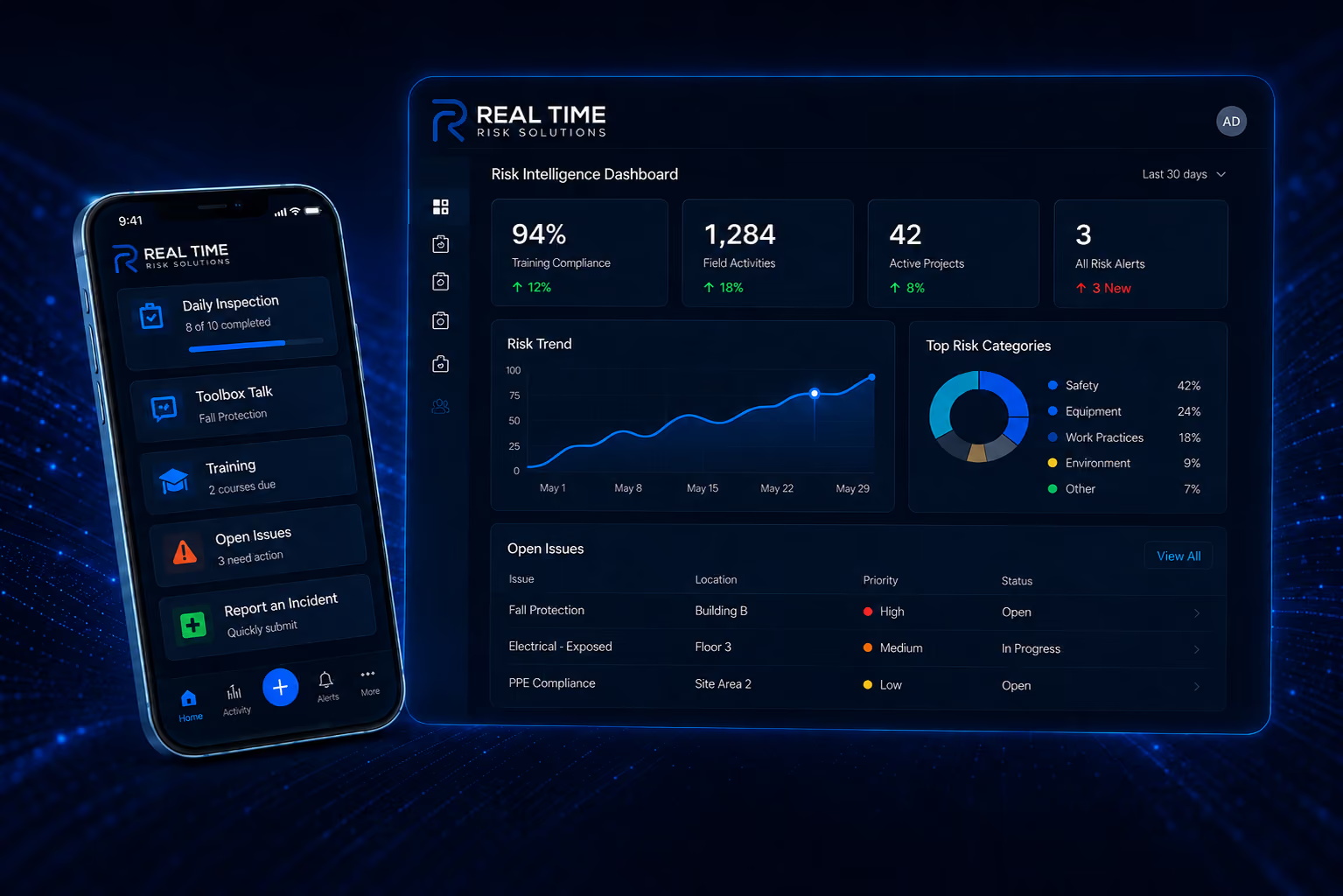
See RTRS in action
The Platform
Everything your team needs. One platform.
Start with the modules you need today.
Add more as your organization grows.
Every module works together across mobile, web, analytics and AI.
Add more as your organization grows.
Every module works together across mobile, web, analytics and AI.

Mobile Forms
Replace paper and spreadsheets with configurable mobile forms, photos, signatures, workflows and reports.

Inspections
Perform inspections in the field and immediately route findings and corrective actions to the right people.

Toolbox Talks
Deliver consistent safety messaging in the field, capture participation digitally, and keep every talk documented without paper sign-in sheets.

Training & LMS
Manage courses, certifications, training records and expiration dates in one place.

Claims
Centralize loss data, standardize claim information and understand what is driving losses.

Timecards
Collect field time in the same mobile environment employees already use for operational workflows.

AI & Dashboards
Turn operational and claims data into dashboards, summaries, trends and actionable risk intelligence.

Emergency Alerts
Broadcast urgent information quickly when employees or teams need to act immediately.

Online File Cabinet
Give field and office teams secure access to the latest documents, files and reference materials from one online library.
Assessments
Standardize how your organization evaluates risk, safety, quality and compliance across locations, projects and teams.
AI + Analytics
Turn operational data into risk intelligence.
Ask questions across your forms, observations, training activity and claims data. Summarize activity, identify recurring issues and create faster management reporting.
Trend Analysis
Summaries
Claims Intelligence
Recurring Issue Detection
“What are the top recurring safety issues across our projects this quarter?”
RTRS AI Summary
Housekeeping concerns increased across 4 active projects.
Fall protection observations are concentrated on 2 subcontractors.
Training completion improved 11% after targeted follow-up.
25 Ways to Use RTRS AI
Ask better questions. Find the risks that need attention.
Use natural-language questions to analyze activity across observations, forms, inspections, training, claims and management reporting.
Risk & Observations
What are the top recurring safety issues across our projects this quarter?
Which hazards are increasing fastest over the last 30 days?
Which projects have the most overdue or high-priority corrective actions?
Which subcontractors are associated with the highest concentration of repeat observations?
Which locations have the most severe or recurring risk trends?
Forms & Inspections
What are the most frequently failed inspection questions or categories?
Which forms show unusual results, missing information or recurring deficiencies?
How do inspection results compare across projects, locations or time periods?
Summarize this week's daily reports and identify anything management should address.
What patterns are appearing across near misses, incidents and inspection findings?
Training & Toolbox Talks
Which employees have training or certifications expiring in the next 30, 60 or 90 days?
Which training topics are most relevant to the hazards we are seeing in the field?
Create a toolbox talk based on our most common recent observations.
Which projects, groups or employees have the lowest training completion rates?
Summarize training completion, expirations and compliance issues for leadership.
Claims & Loss Intelligence
What are our largest loss drivers by cause, coverage, location or project?
Which claims have had the largest changes in reserves, paid amounts or total incurred?
Which claim trends are improving or worsening compared with the prior period?
What recurring injury causes, body parts or loss patterns are appearing in our claims?
Summarize the open claims that require the most management attention.
Cross-Platform & Executive Intelligence
What operational patterns appear before our most frequent or costly claims?
What changed in our risk profile this week compared with last week?
Where should we focus safety resources and management attention next month?
Create an executive summary of our most important safety, training, inspection and claims trends.
Generate a stewardship report showing key improvements, emerging risks and recommended actions.
Customer Testimonials

“Our experience with the RTRS platform has been excellent. I really appreciate the attentive support we’ve received from our RTRS representative. They are quick to respond to any questions or issues, and they follow up to ensure everything has been fully resolved. That kind of responsiveness and care makes a big difference and gives us confidence in using the platform.”
— Tania Kelly, 1-800-PACK-RAT
“We use the Real Time Risk Solutions for the majority of our safety needs. This platform has allowed us to streamline our process for toolbox talks, employee training, company policies, audits and much more. Allowing for our field personnel to have access to the platform has saved so much time & effort by simplifying tasks and eliminating unnecessary steps. Having used other software and worked with a couple of different companies in the past, I can confidently say RTRS is by far the easiest system I’ve ever used. All of our documents are housed within the platform as well, giving our supervision immediate access to the information; this has increased efficiency and promotes a team atmosphere in handling safety across the company. RTRS has truly raised the bar for safety and compliance management, and I would highly recommend it to any company looking for an easy-to-use, reliable solution.”
— Michele Paxton, All Trades Mechanical
“RTRS has been a great tool for managing safety ultimately making our projects safer. The ability to aggregate and collate data saves us a lot of time and gets us the information we need to identify trends and make swift upgrades to our safety processes. A bonus is its ease to use and prompt support team.”
— Peter Lupo, Director of Safety, Standard Drywall Inc.
“What stands out about Real Time Risk Solutions is how adaptable the platform is. It can be configured around the way a company already operates without requiring a complicated implementation or major IT resources. For mid-market construction companies, that means they can get a powerful risk management solution deployed quickly, put it in the hands of their teams, and start seeing value almost immediately.”
— Kirk Chamberlain, EVP, North American Construction Practice Leader HUB International

Mobile Forms
Create configurable mobile workflows for inspections, reports, checklists and operational documentation.

Why it matters
Turn field data into consistent, actionable information without the paper, spreadsheets, or re-entry.
Replace paper forms and disconnected spreadsheets with one configurable mobile workflow
Standardize how field data is captured across teams, projects and locations
Improve data quality with required fields, logic, photos, signatures and real-time validation
Reduce administrative work by routing information automatically into reports, alerts and dashboards
What it includes
Everything you need to build, deploy, capture, and report field workflows in one configurable mobile platform.
Hundreds of configurable templates
Automatically translates each form into 130+ languages
Custom fields and logic
Attach PDFs, PowerPoints, Excel files, images, diagnostic reports, and electronic signatures to your forms
GEO Location and map fields
Automated alerts
Convert to QR Codes so anyone can fill out your forms without training or needing a license
Custom Dashboard reporting for your forms
Embed instructional photos directly into form templates to visually guide users in the field
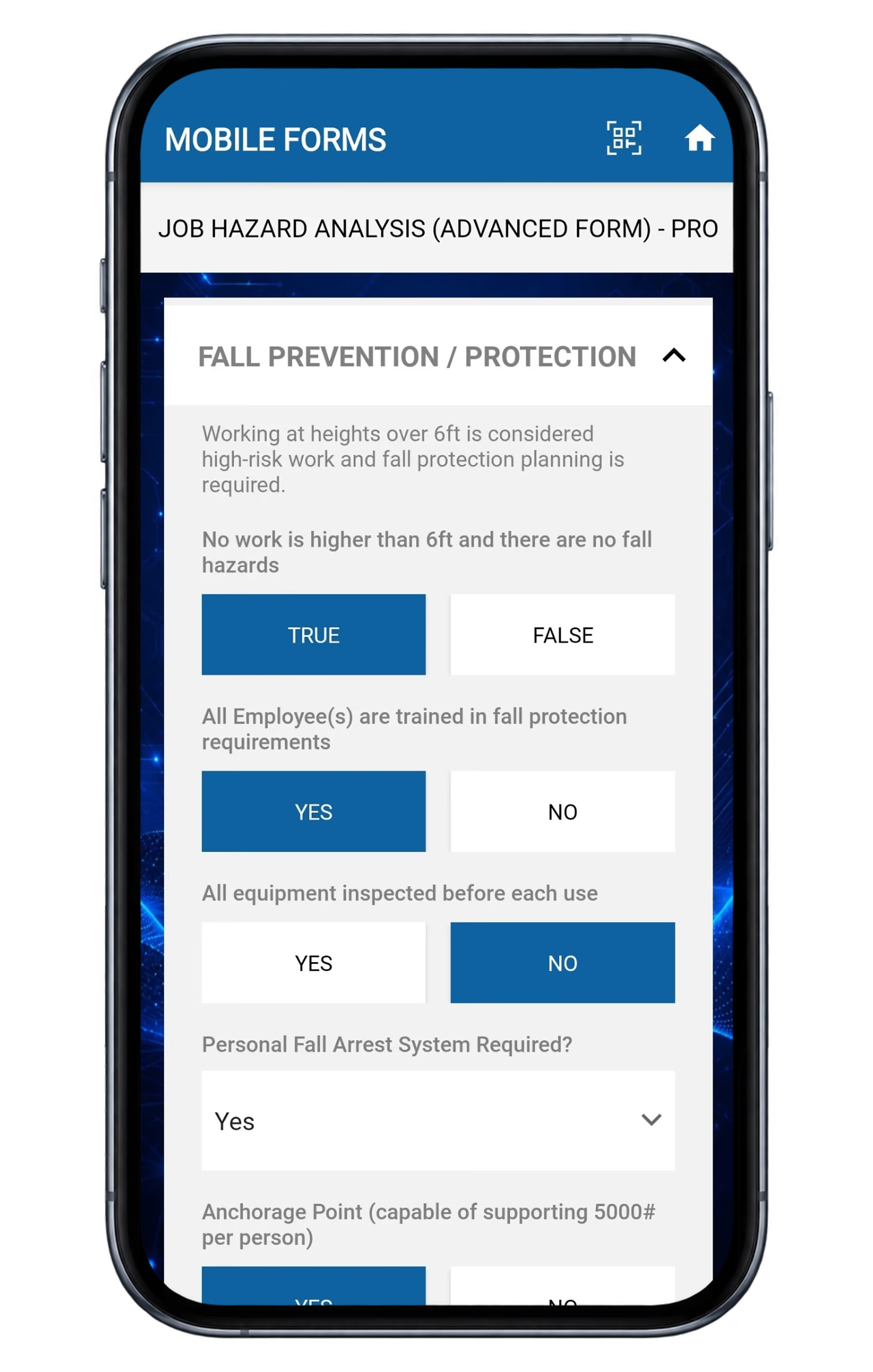
Advanced JHA mobile form
Complete advanced job hazard analysis forms on mobile devices with structured sections, simple response buttons, dropdowns and field-ready workflows.
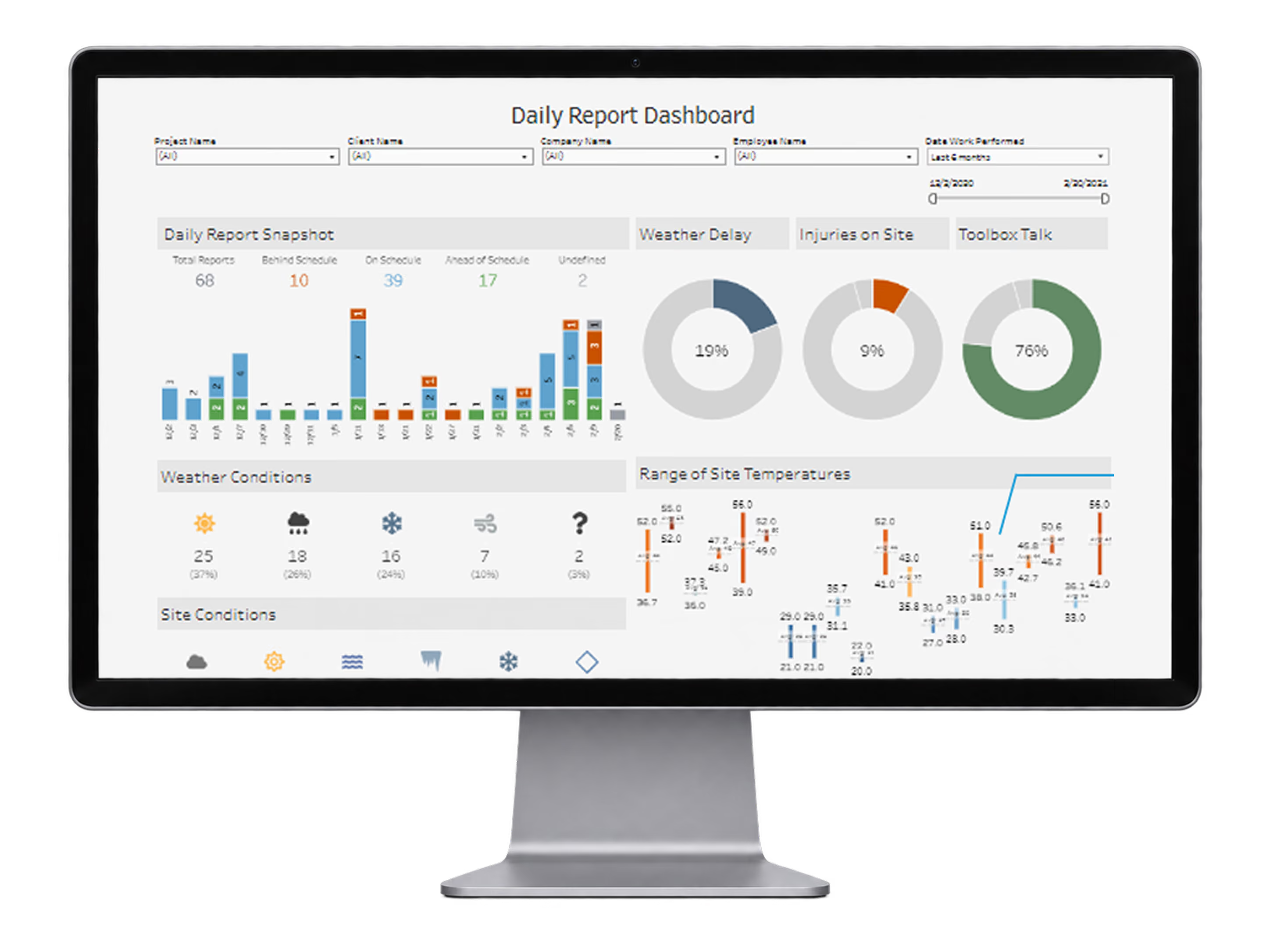
Daily report dashboard
Monitor daily report volume, schedule status, weather delays, injuries, toolbox talks, temperature ranges, site conditions, and trade activity from one operational dashboard.
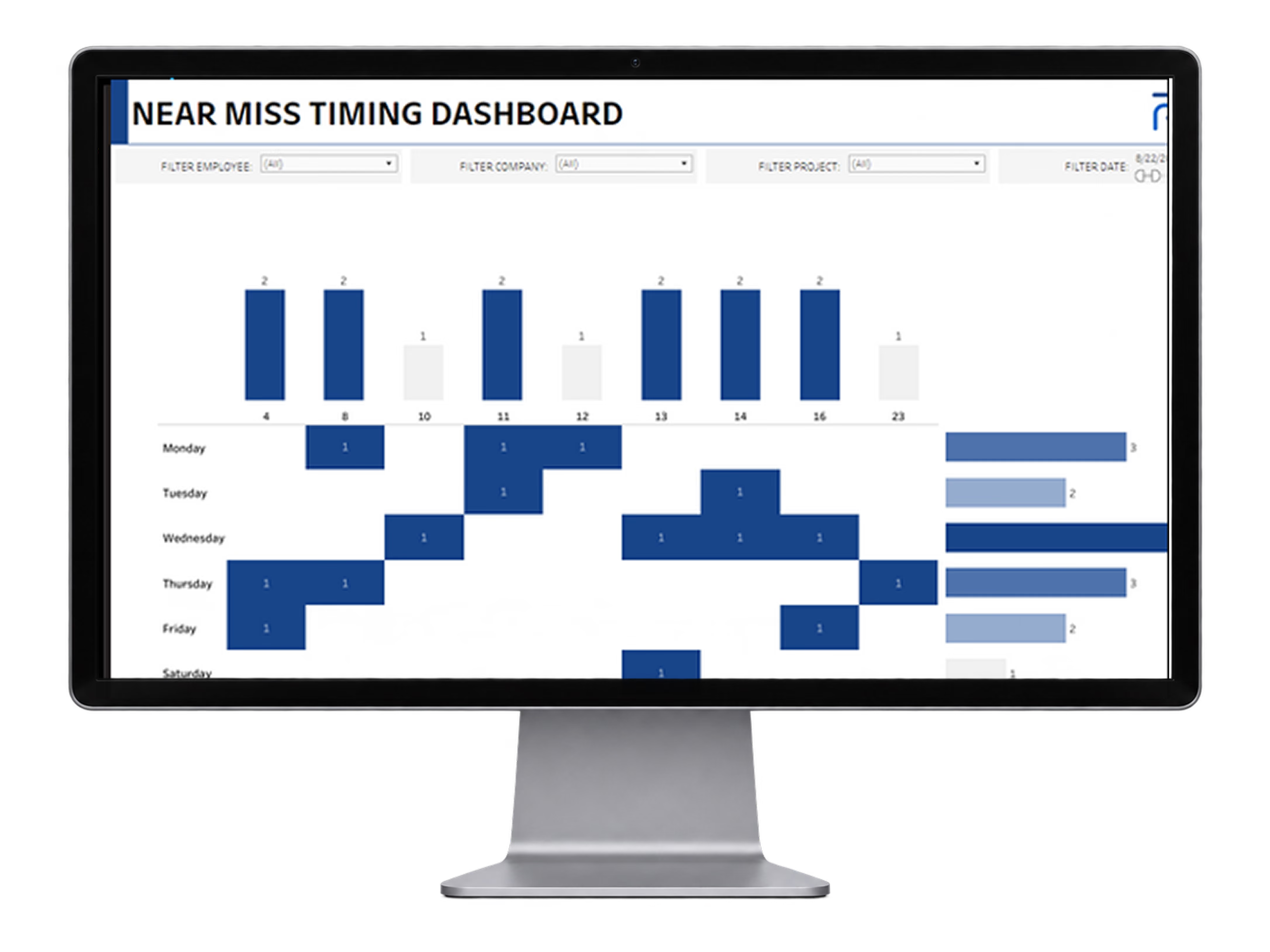
Near miss timing dashboard
Analyze near-miss patterns by day, employee, company, project, and date to identify timing trends and recurring risk activity across the field.
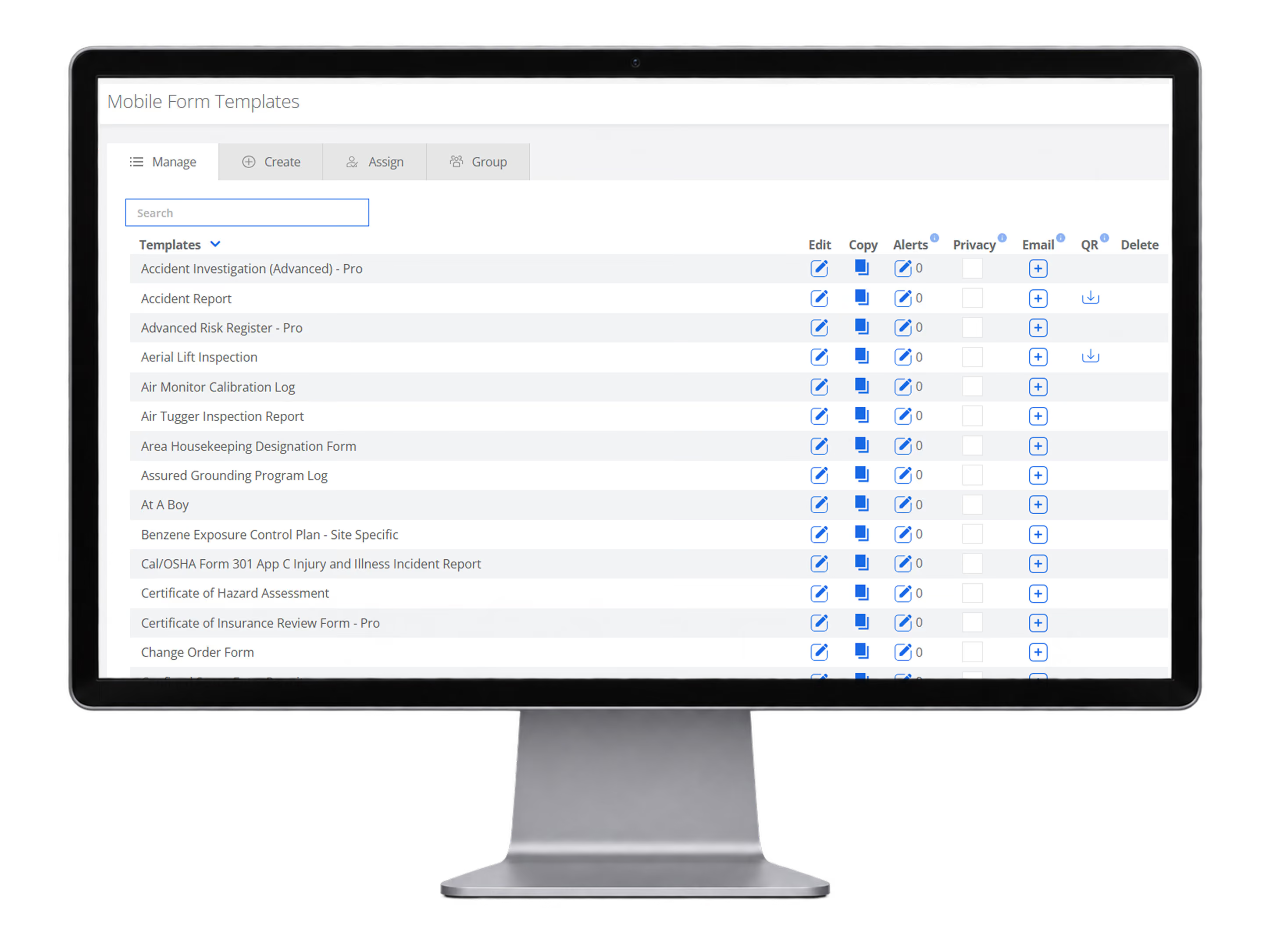
Mobile form templates
Choose from hundreds of ready-to-use mobile form templates, fully customizable to your company's needs. Configure automated alerts, custom email notifications, and QR code access while organizing forms by project or location.
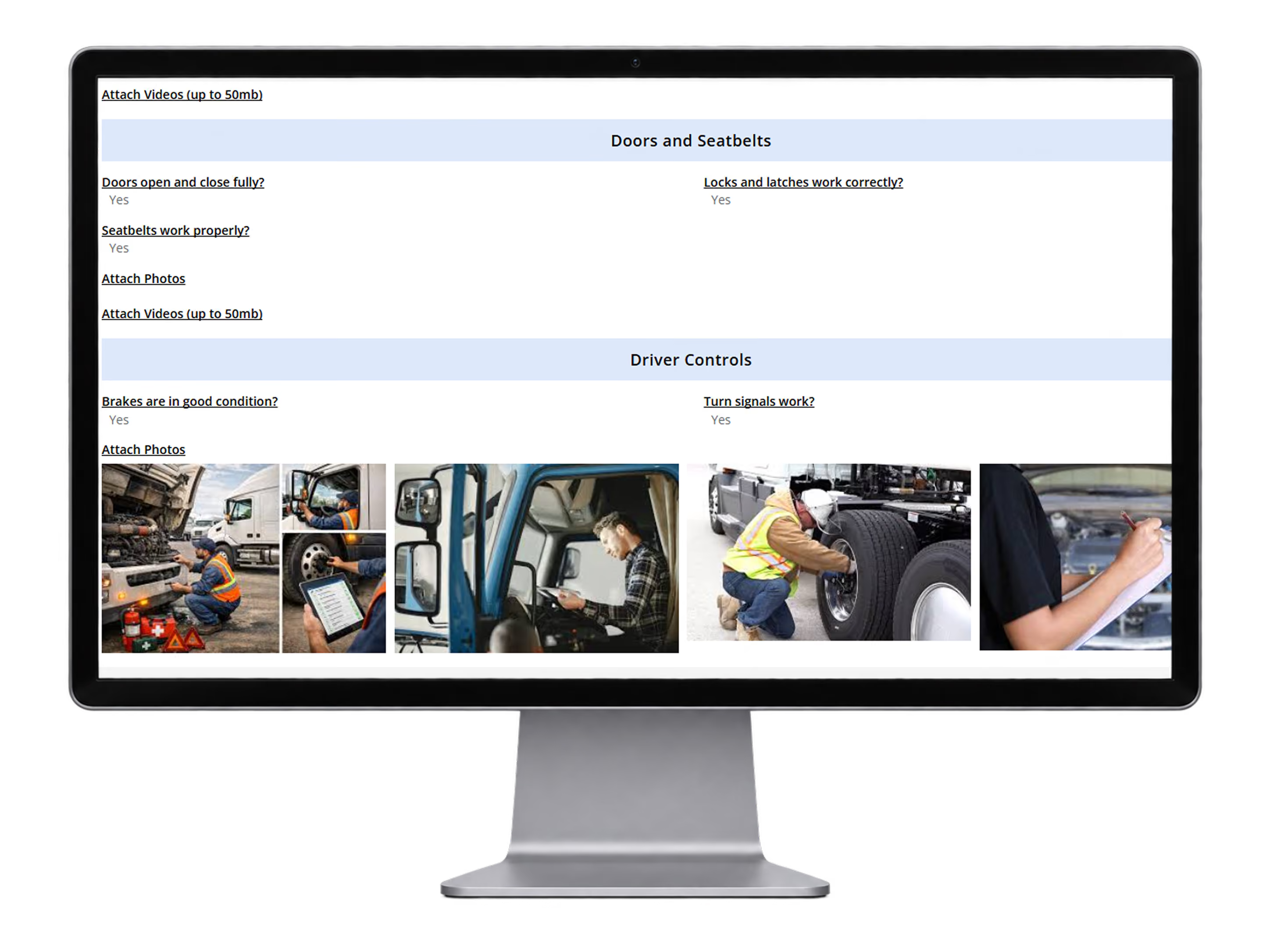
Vehicle inspection form output
Analyze DVIR patterns by vehicle, employee, company, project, and date to identify timing trends and recurring issues using AI.
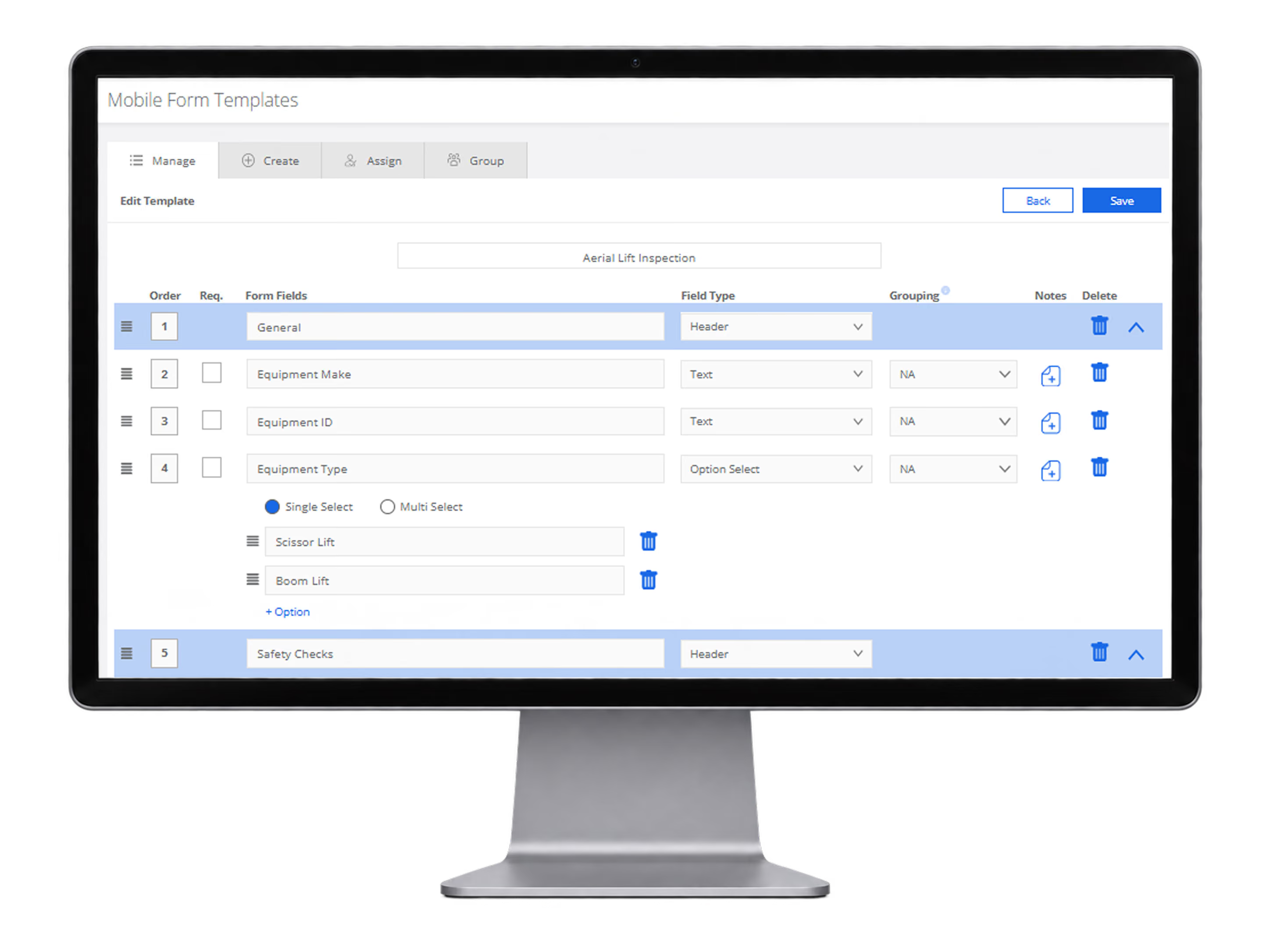
Form template builder
Build and organize configurable mobile form templates with grouped sections, field types, required fields, and reusable answer options.
Inspections
Perform inspections in the field and move findings directly into corrective action.
Why it matters
Turn every inspection into faster corrective action and better risk visibility.
Identify hazards and deficiencies before they become larger issues
Route corrective actions immediately to the right people
Create accountability with clear ownership and status tracking
Spot repeat findings and recurring trends across projects and locations
What it includes
Everything your team needs to inspect, document, assign, track and close.
Upload photos and instructional notes to individual inspection questions to guide users in the field without appearing on the final report
Thousands of best-practice QHSE inspection questions and categories from best practice library
Embed URL compliance links into questions
Configurable inspection templates
Add customizable fields to every inspection question, with the option to require a response for consistent data collection
Instant issue creation
Photos and field notes
Create customizable tags to classify and track observations, such as Completed, Incomplete, or Under Review, using a simple dropdown menu
Upload vendor and employee lists for easy selection when documenting field issues, enabling accurate tracking and reporting
Ownership and status tracking
Inspection analytics and trends
Seven final report templates to choose from
Assign Due Dates to Issues
Track Issues by Vendor and Subcontractor
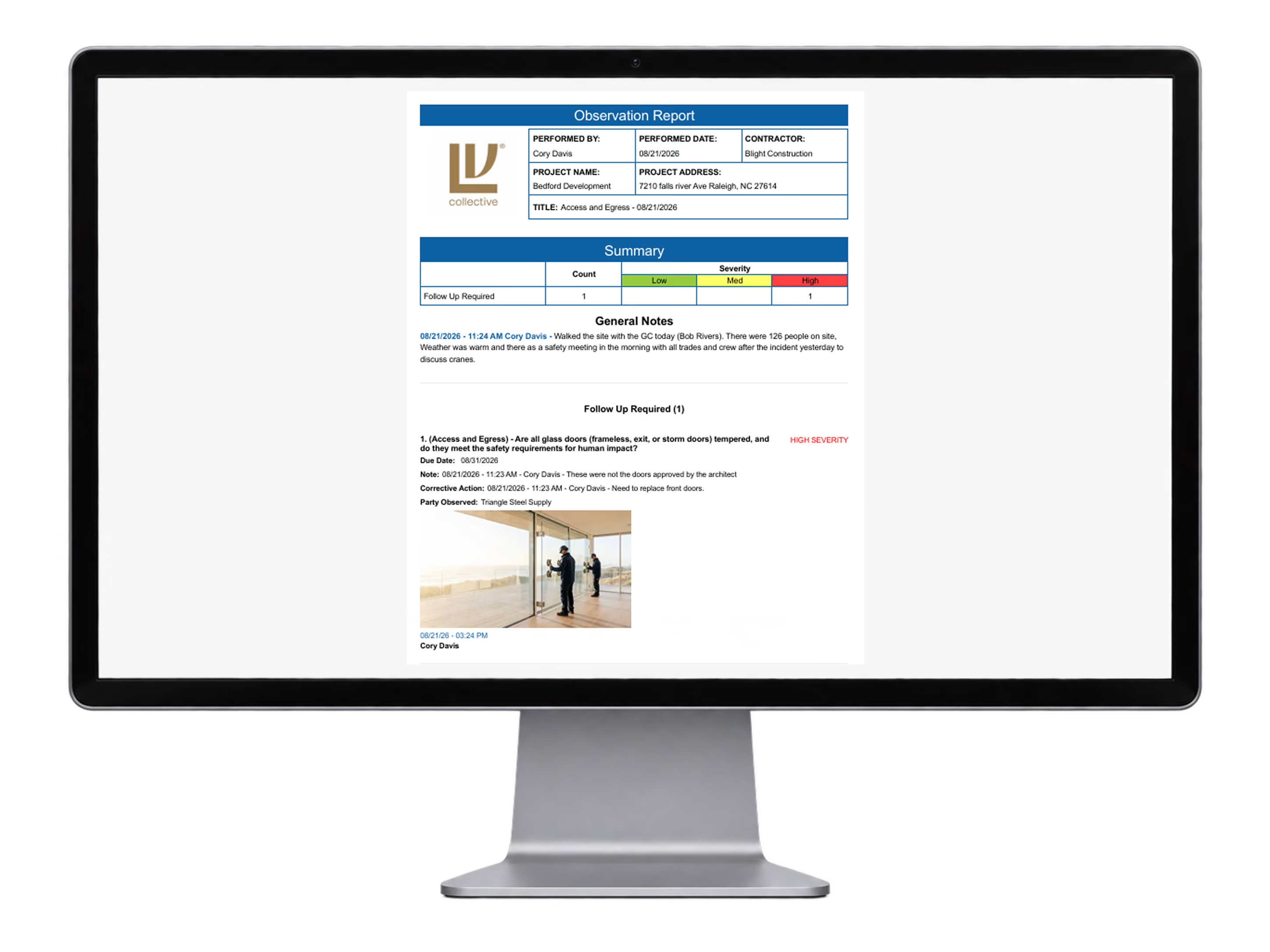
Completed Observation Report
Generate a complete inspection and observation report with project details, severity levels, findings, corrective actions, responsible parties, due dates, notes, photos, and documented follow-up in one record.
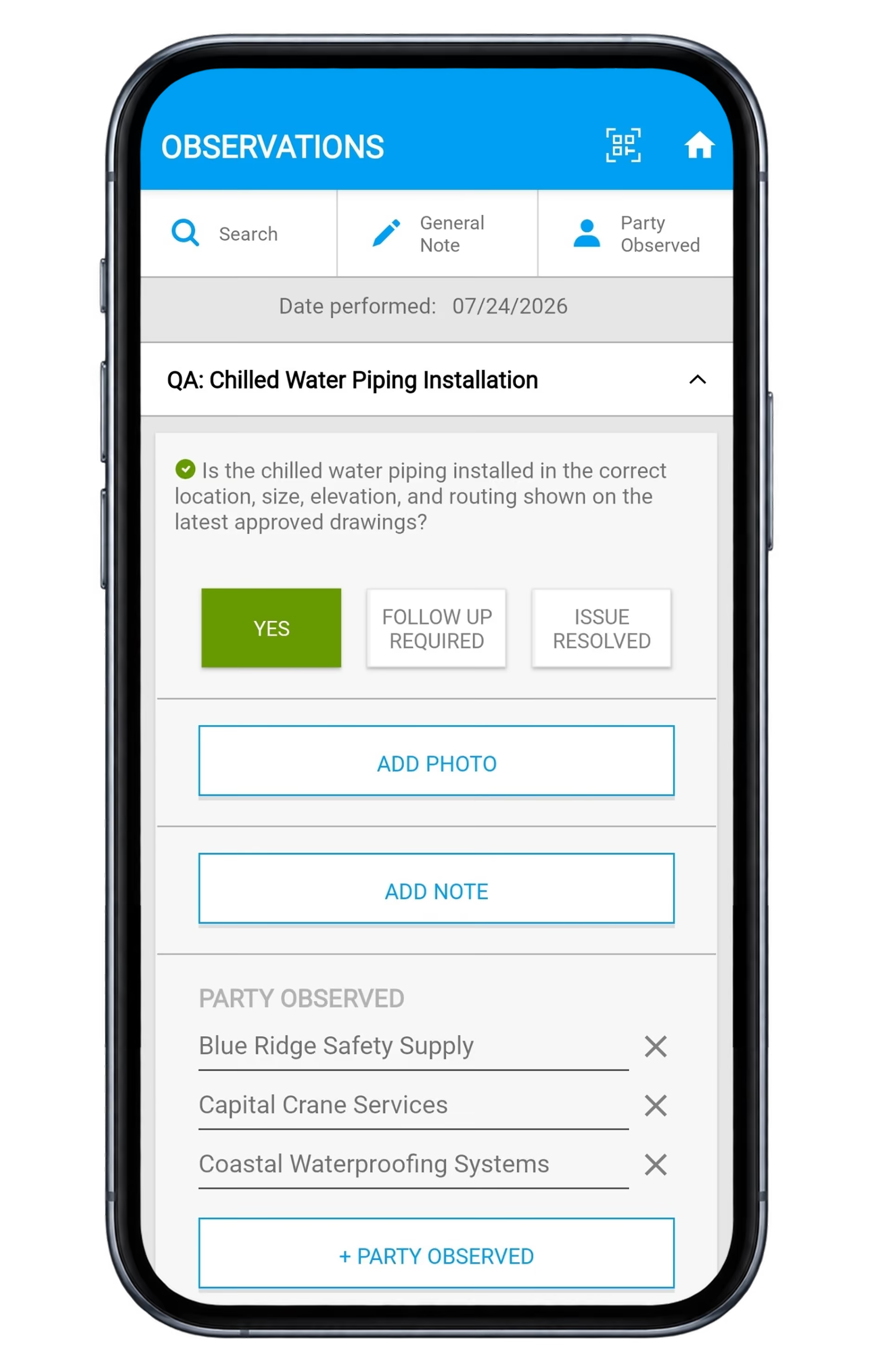
Inspection mobile workflow
Conduct configurable field inspections with structured questions and response options, document findings with photos and notes, automatically flag items requiring follow-up, assign responsible parties and due dates, and track corrective actions through resolution.
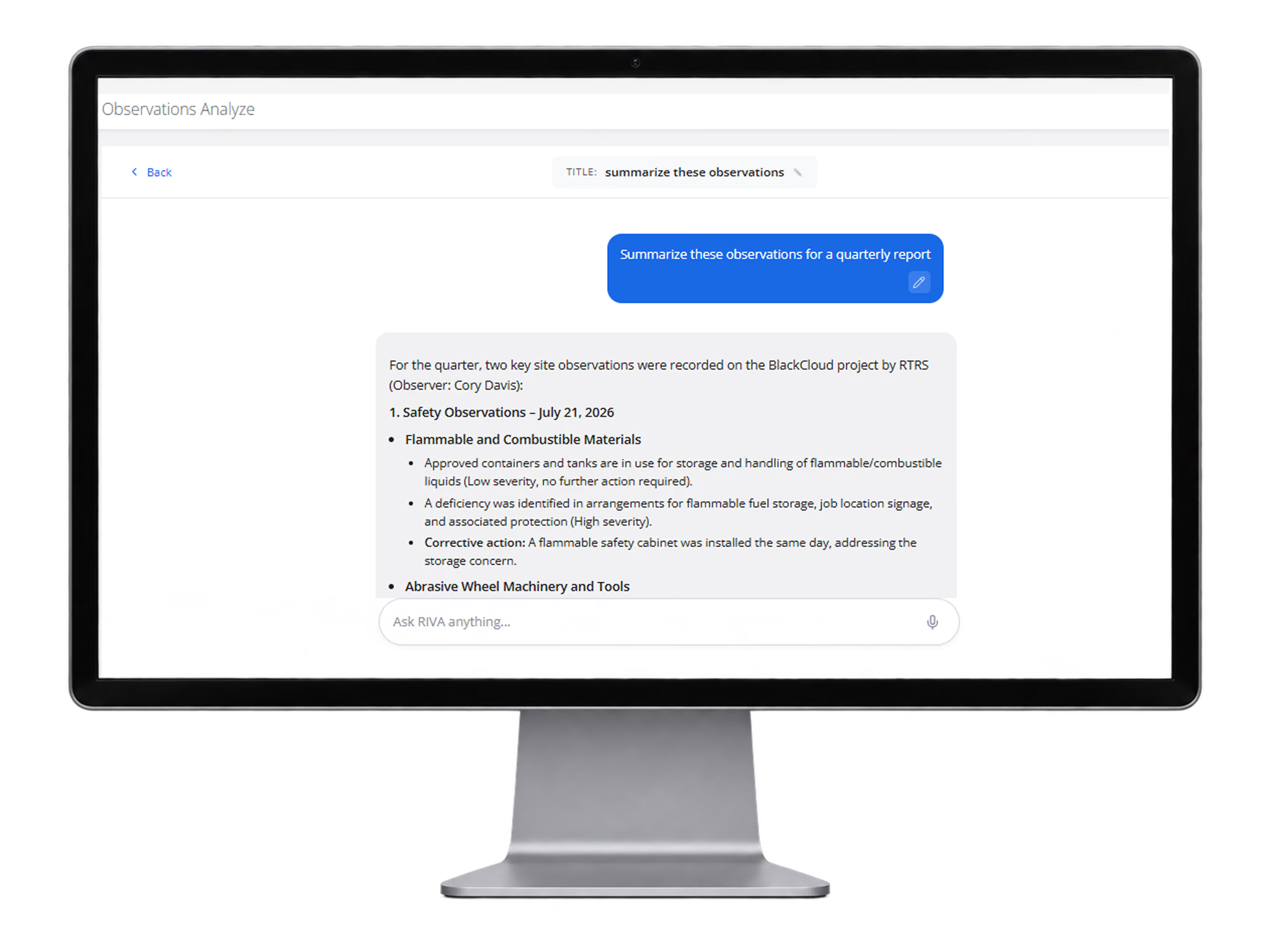
Observations AI summary
AI-generated observations summaries for quarterly reporting based on inspection data.
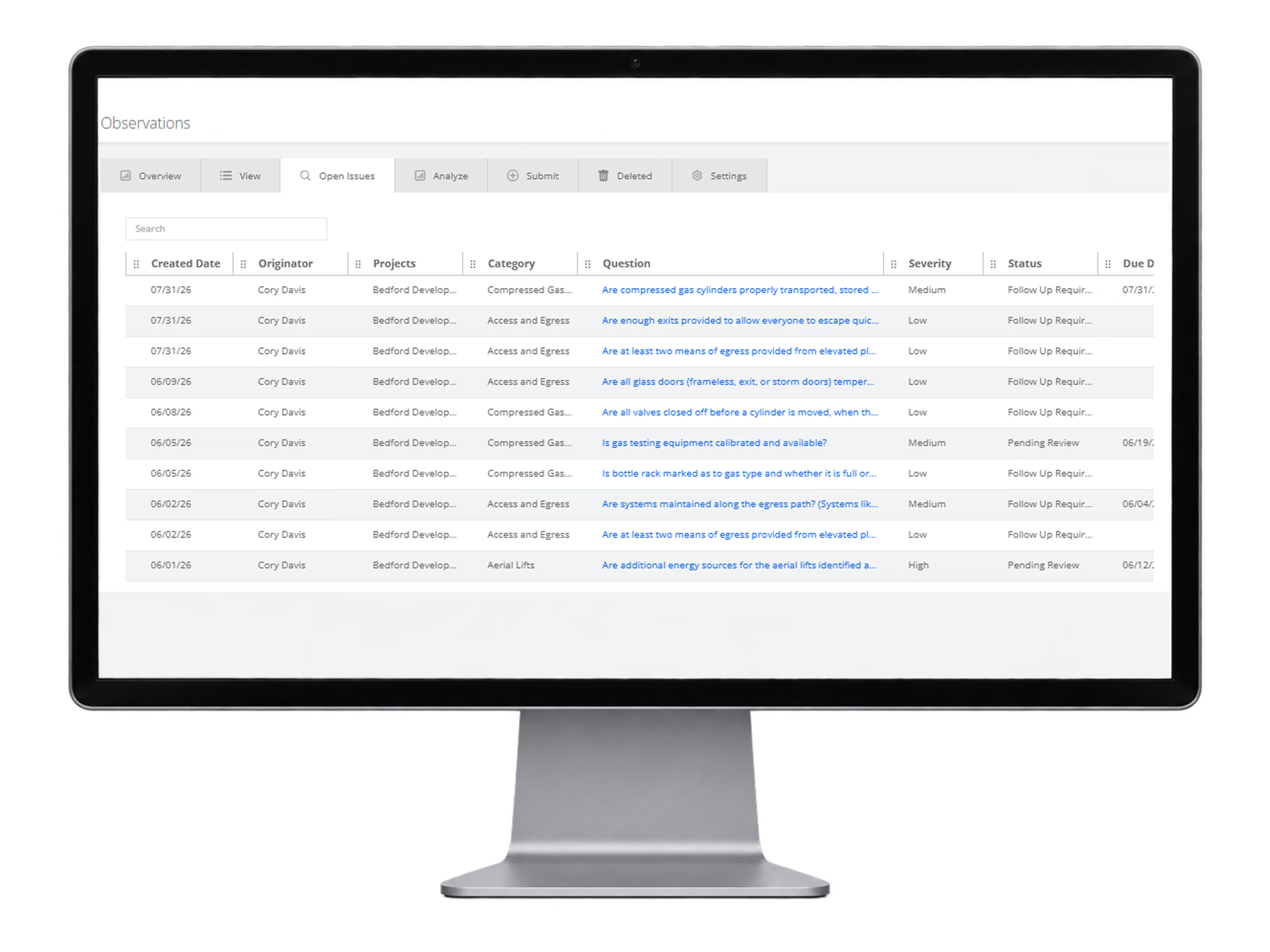
Observations list view
Quickly view all open issues by category, owner, severity, status, and due dates for follow-up.
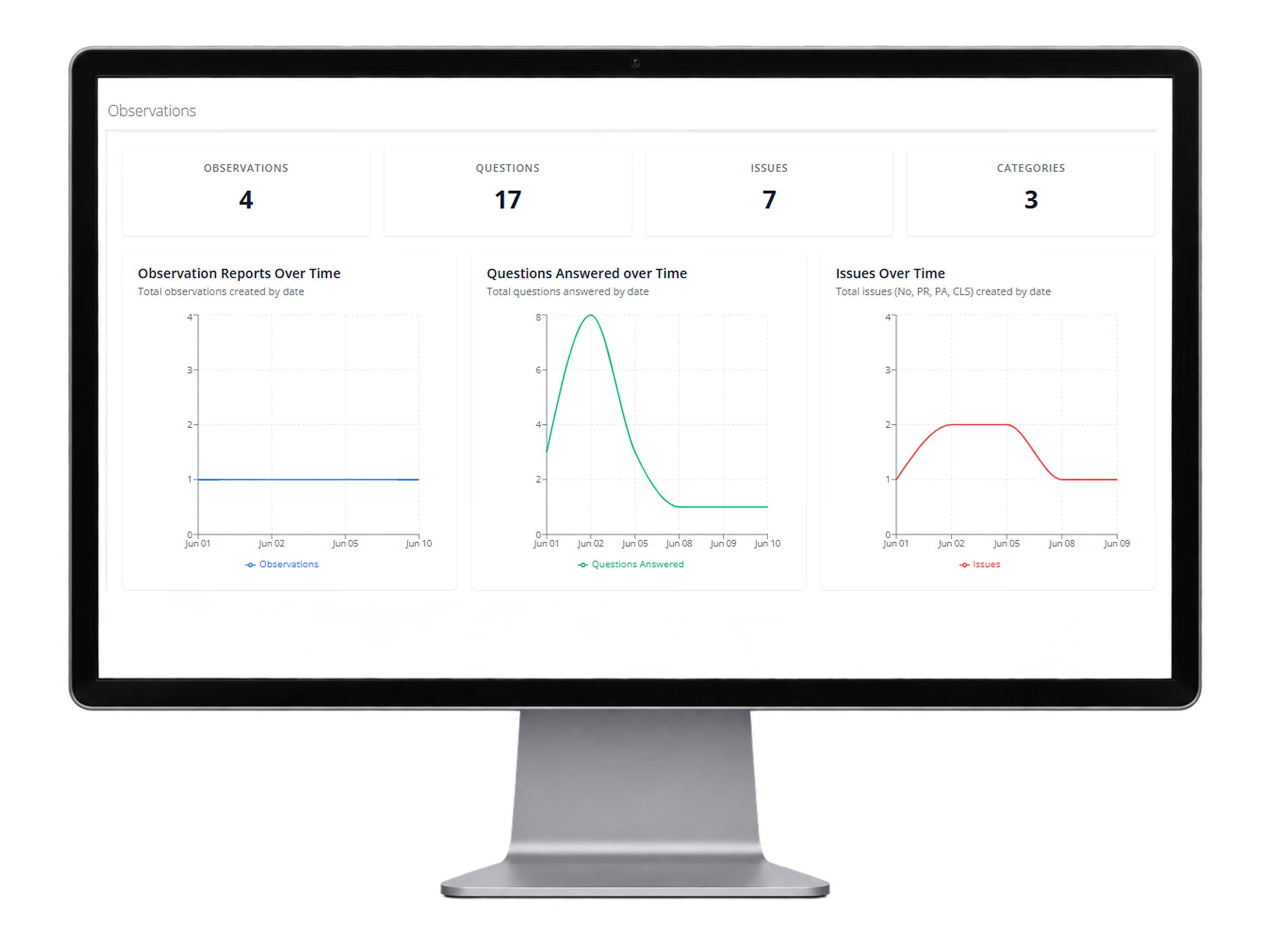
Observations dashboard
Summarize observations, answered questions, issues, and categories over time.
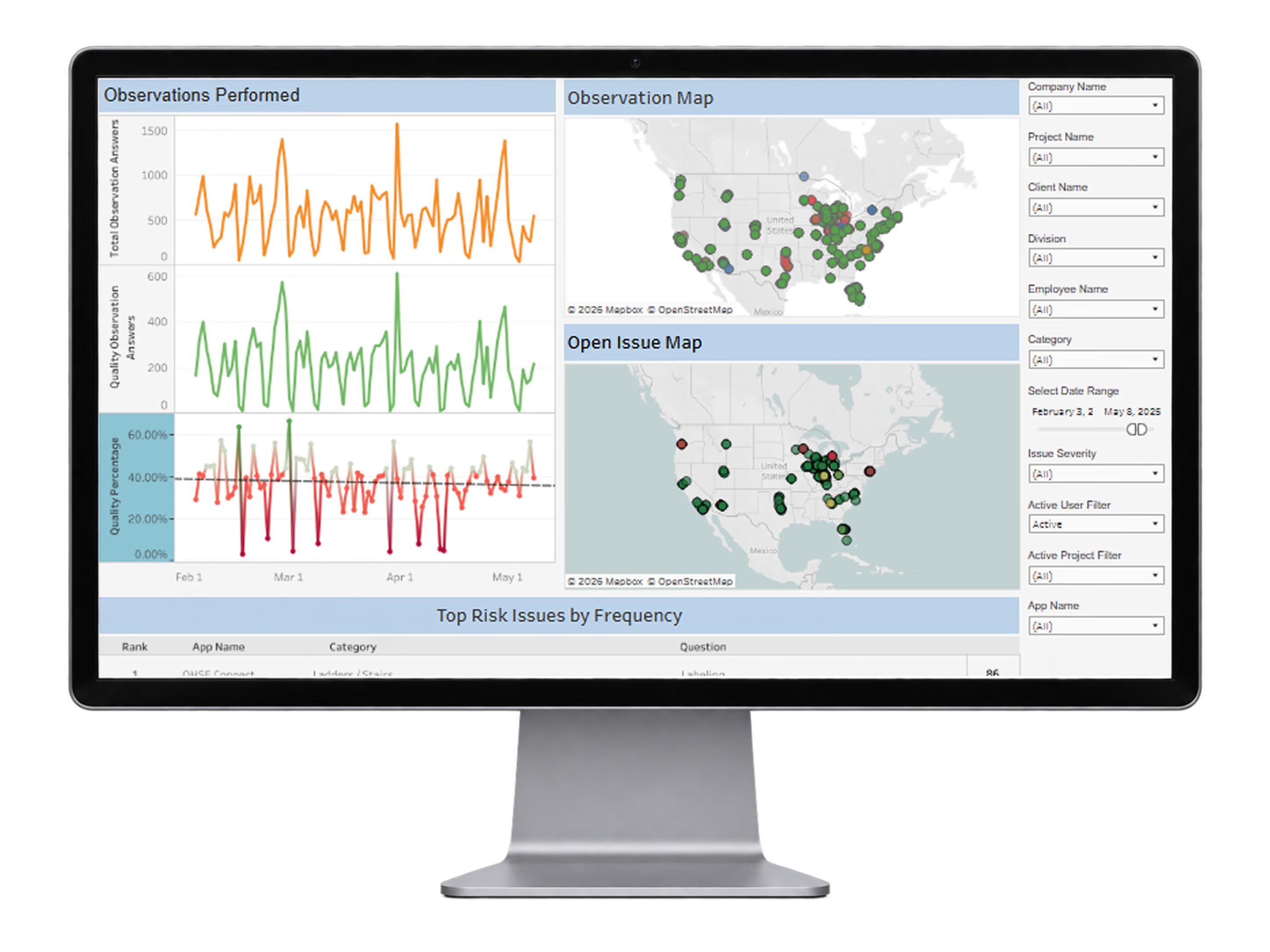
Observation analytics maps
Advanced observation analytics with maps, observation totals, quality trends, and top risk issues by frequency.
Toolbox Talks
Deliver consistent safety messaging in the field, capture participation digitally, and keep every talk documented without paper sign-in sheets.
Why it matters
Make safety talks easier to deliver, complete, and document — while giving leaders proof that critical safety messages reached the workforce.
Standardize safety meetings across projects, locations, contractors and work groups
Make toolbox talks easy to access and complete directly from mobile devices
Automatically document participation, signatures and completed talks for audit-ready records
Reduce supervisor administration while increasing the consistency and frequency of safety communication
What it includes
Hundreds of configurable safety meeting topics with mobile and QR access, photos, converted into 130+ languages, digital signatures, assignments, and participation reporting in one workflow
Hundreds of configurable toolbox talk templates
Available in over 130 languages
Mobile delivery for employees and field teams
Convert toolbox talks into QR codes and anyone can sign the toolbox talk from their own device without needing the app
Digital attendance tracking and employee signatures
Assign talks by project, group, role or employee
Add company-specific content, instructions and supporting documents
Participation and completion reporting
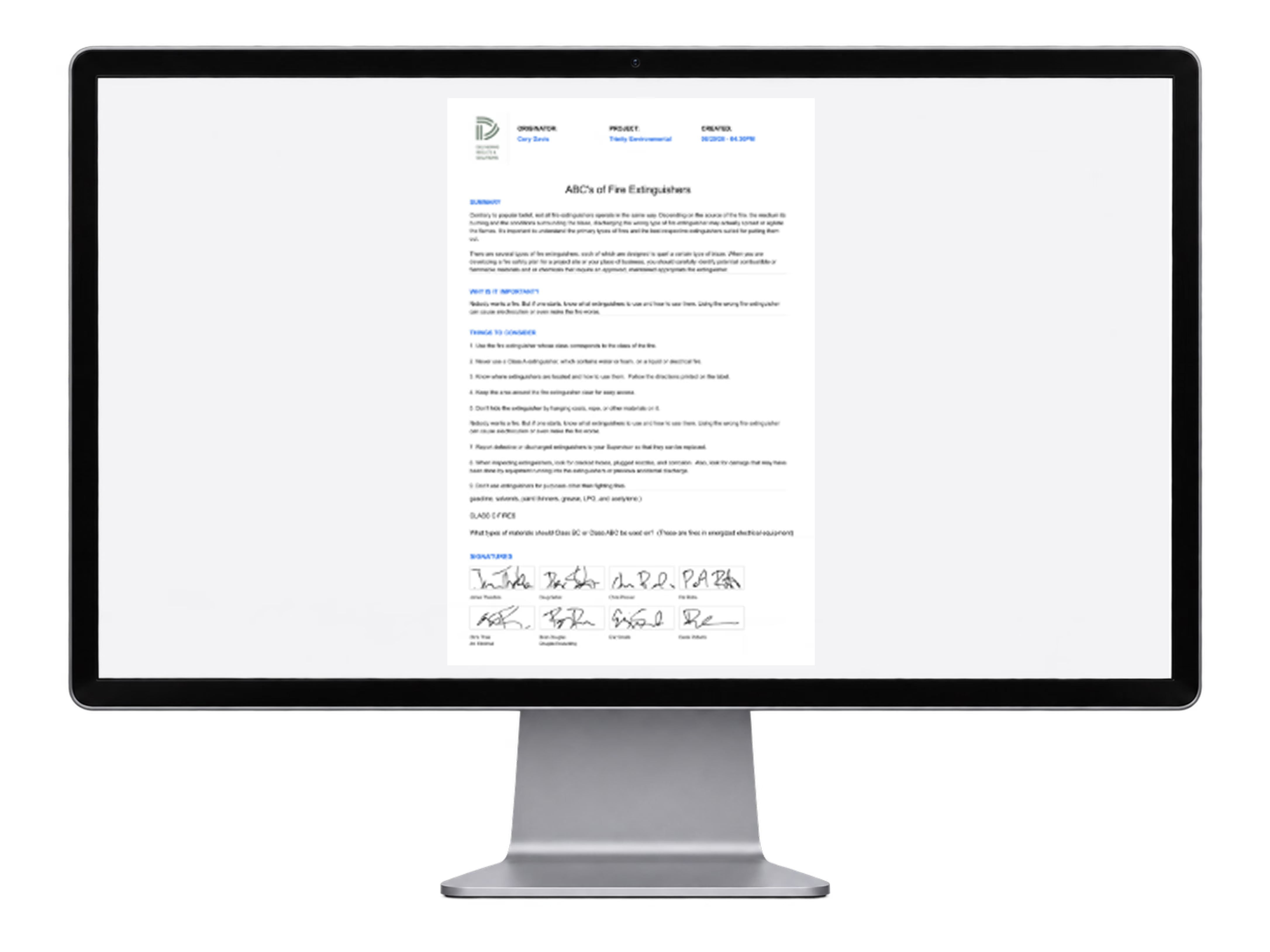
Completed Toolbox Talk Report
Completed Toolbox Talk record with topic details and digital signatures so every talk is documented and audit-ready.
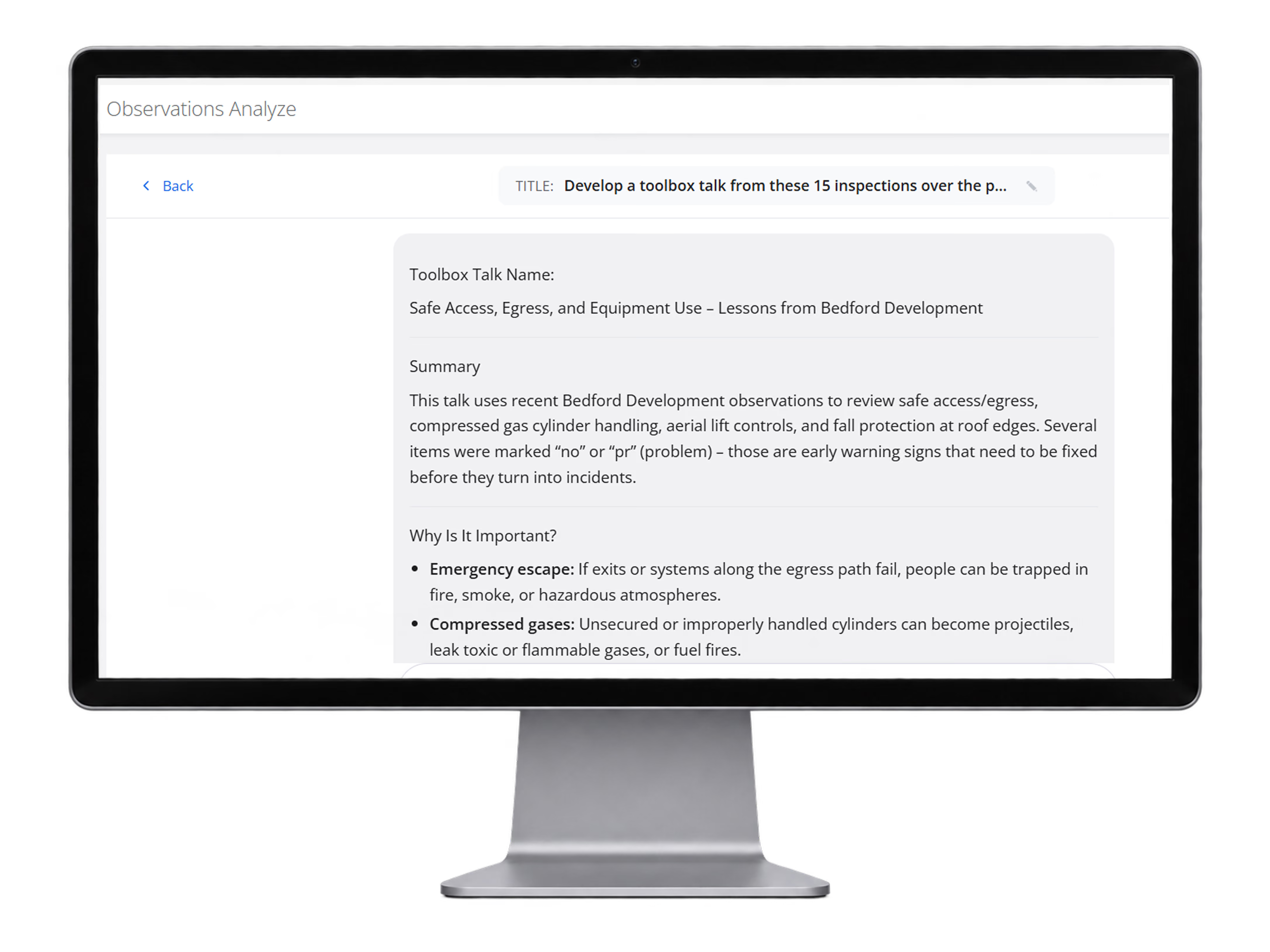
AI-Generated Toolbox Talk
Turn completed observations and inspections into a targeted Toolbox Talk using RTRS AI, so teams can address the hazards they are actually seeing in the field.
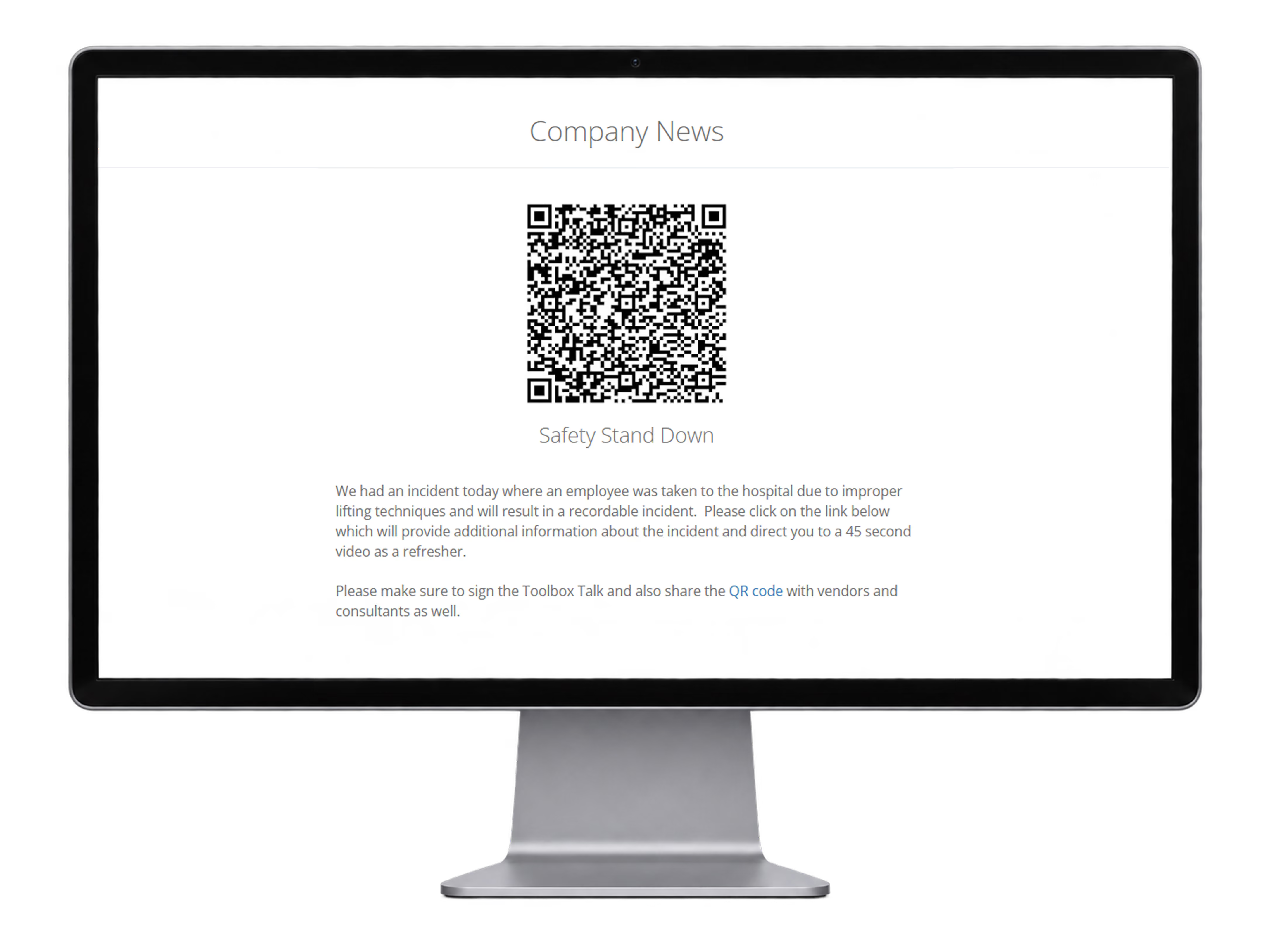
QR Toolbox Talk Access
Share a QR-enabled field communication so employees, vendors, and consultants can open the safety message and complete the related Toolbox Talk from their own devices.
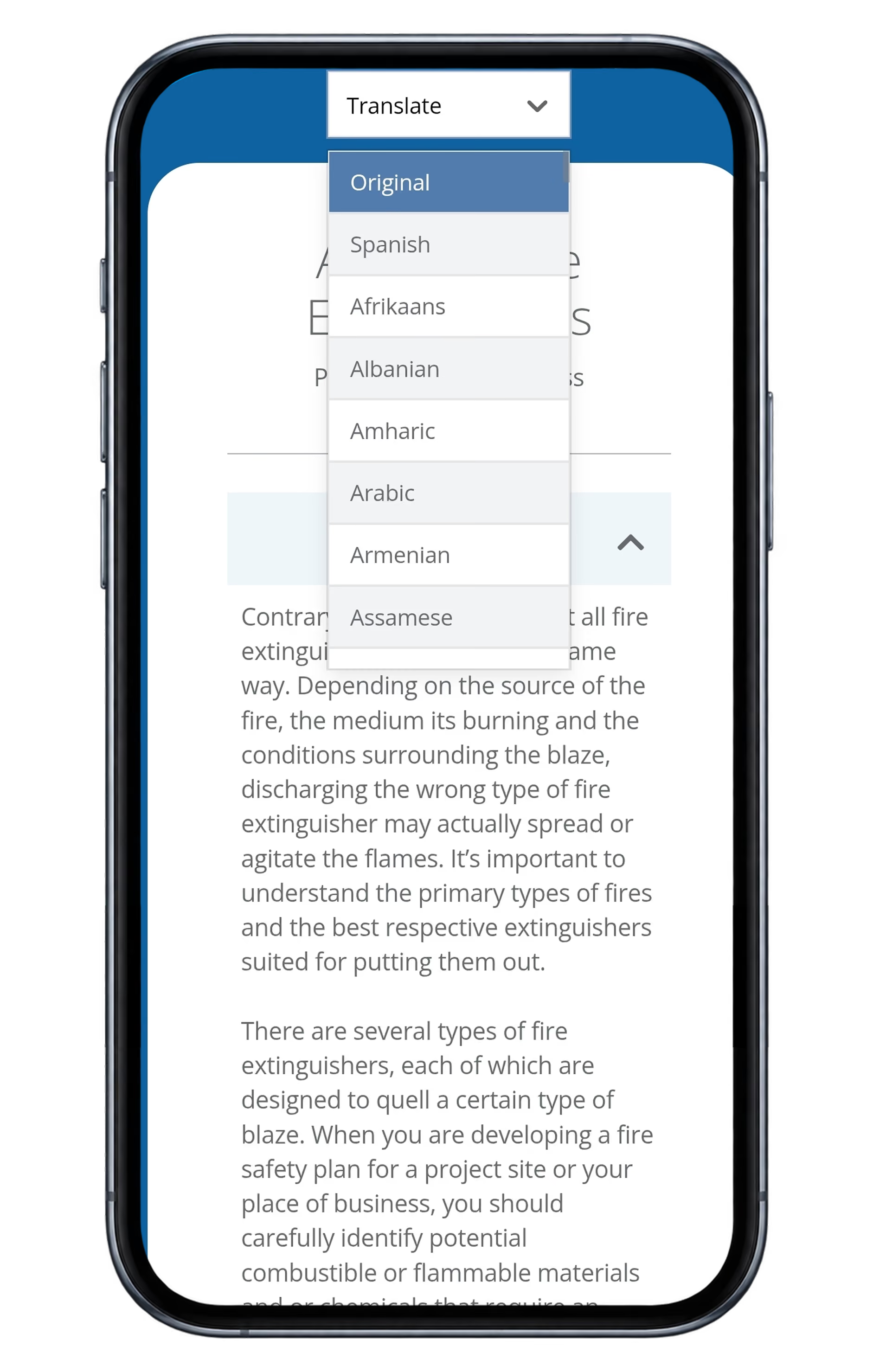
External vendors/employees/subcontractors can view the report from their own devices without needing a license and they can choose their own language
Training & LMS
Manage courses, certifications, training records and expiration dates in one place.
Why it matters
Keep your workforce trained, current, and audit-ready without chasing records across multiple systems.
Keep required training and certifications organized in one place
Reduce expired credentials with clearer visibility into completion and renewal dates
Give employees easier mobile access to the training they need, when they need it
Create a documented training record that improves compliance, accountability and audit readiness
What it includes
Everything you need to assign, deliver, track, verify, and document workforce training.
Employee QR badges enable anyone to see their training from anywhere
Course assignment
Video and PDF content
Set Quiz passing scrores
Generates company branded training certificates
Completion tracking
Expiration management
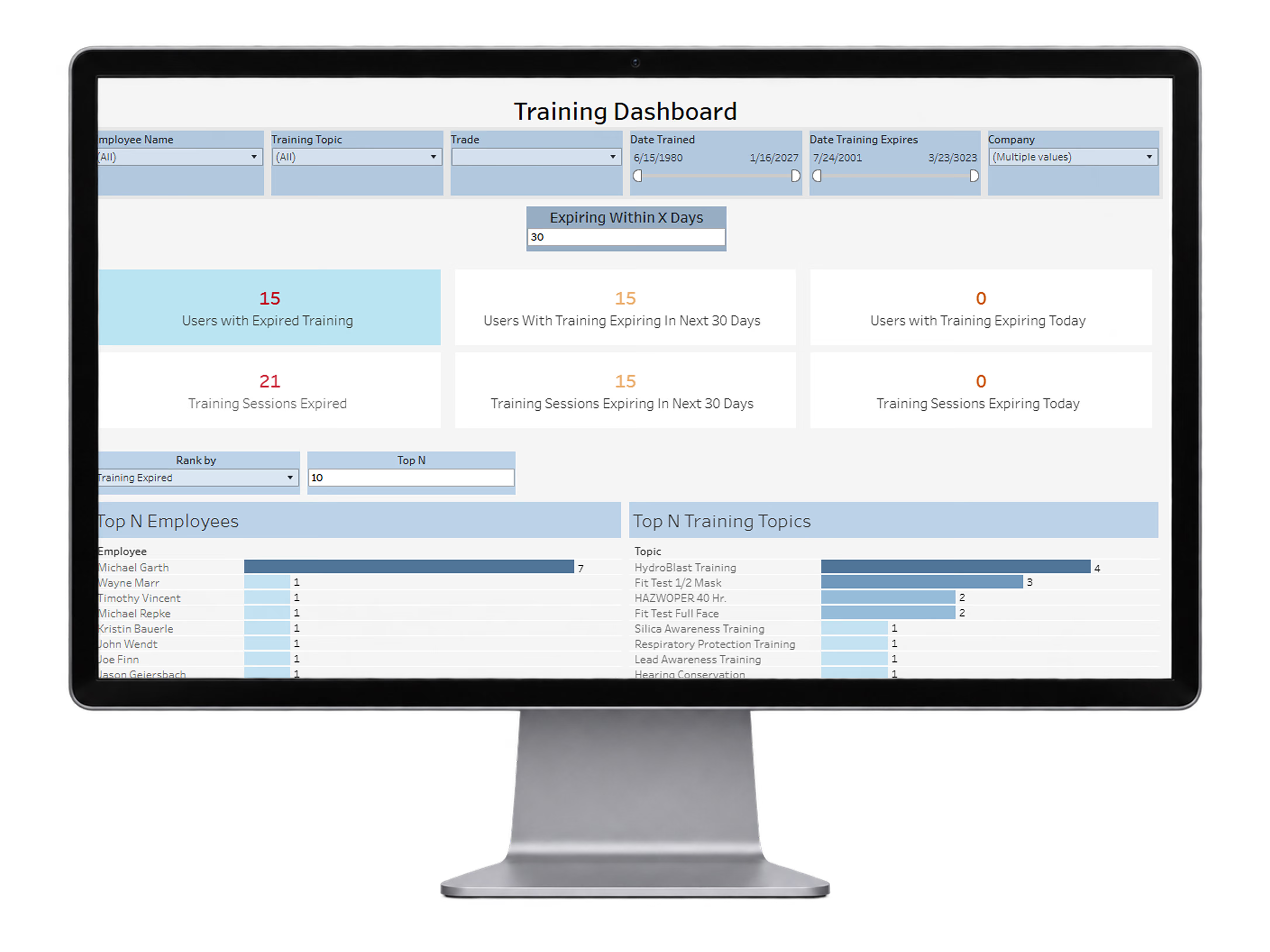
Training Expiration Dashboard
Monitor expired training, upcoming expirations, and top employees and training topics so supervisors can stay ahead of compliance gaps.
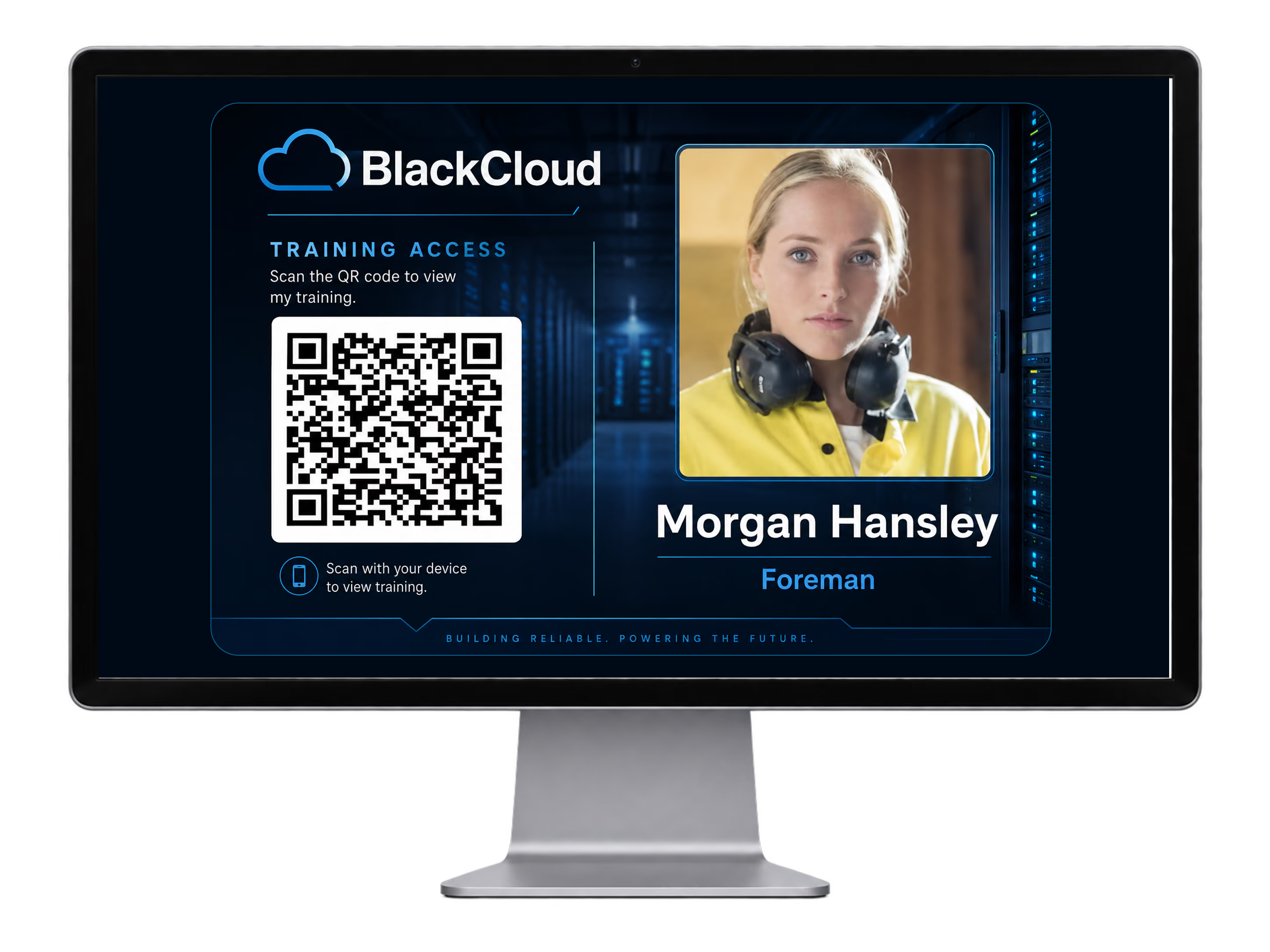
QR Training Badge
Give employees a personalized QR training badge that provides fast access to their training records from a phone or field device.
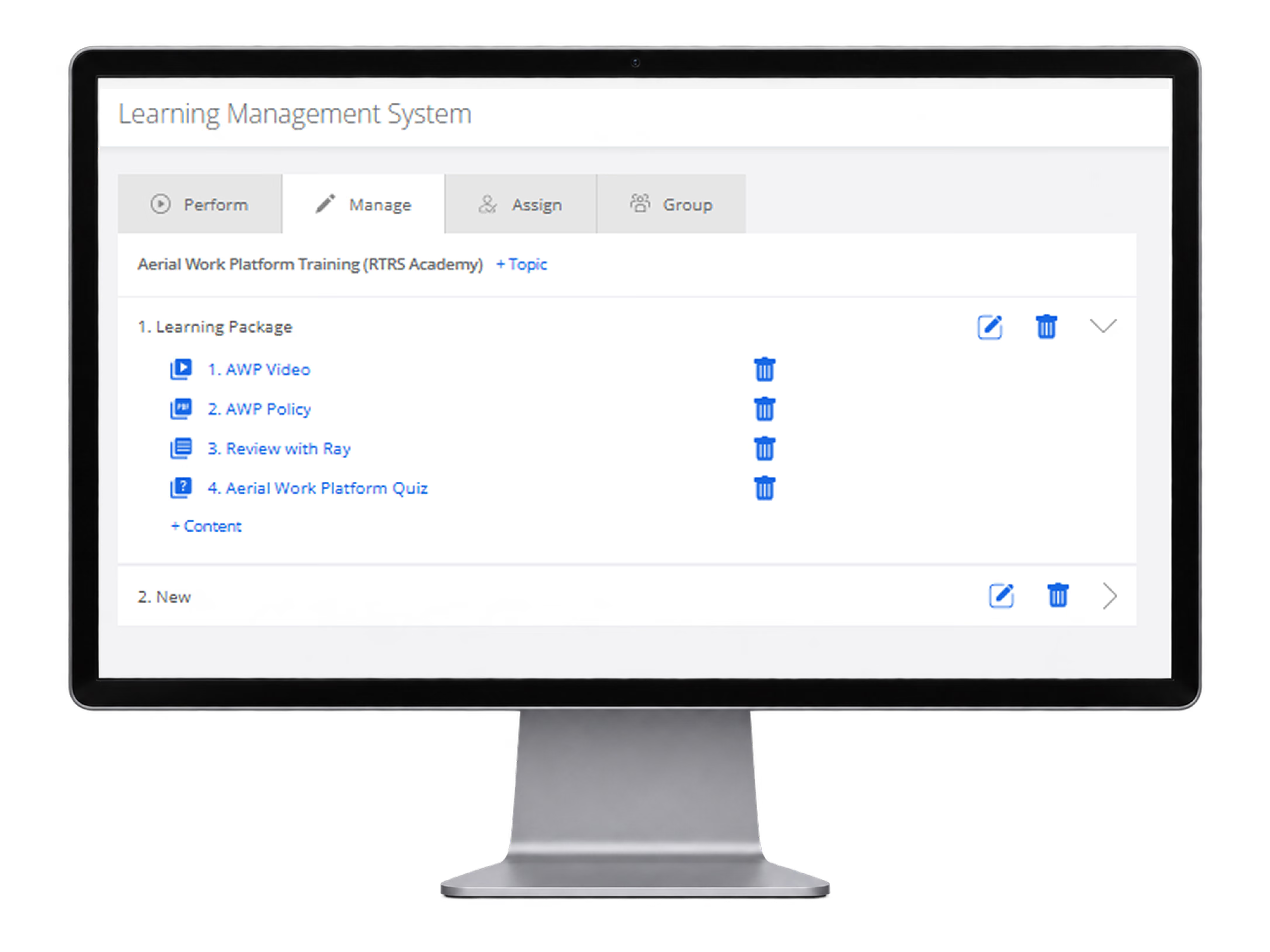
LMS Course Builder
Build structured learning packages with video, policy documents, interactive review content, quizzes, and additional course materials from one LMS management screen.
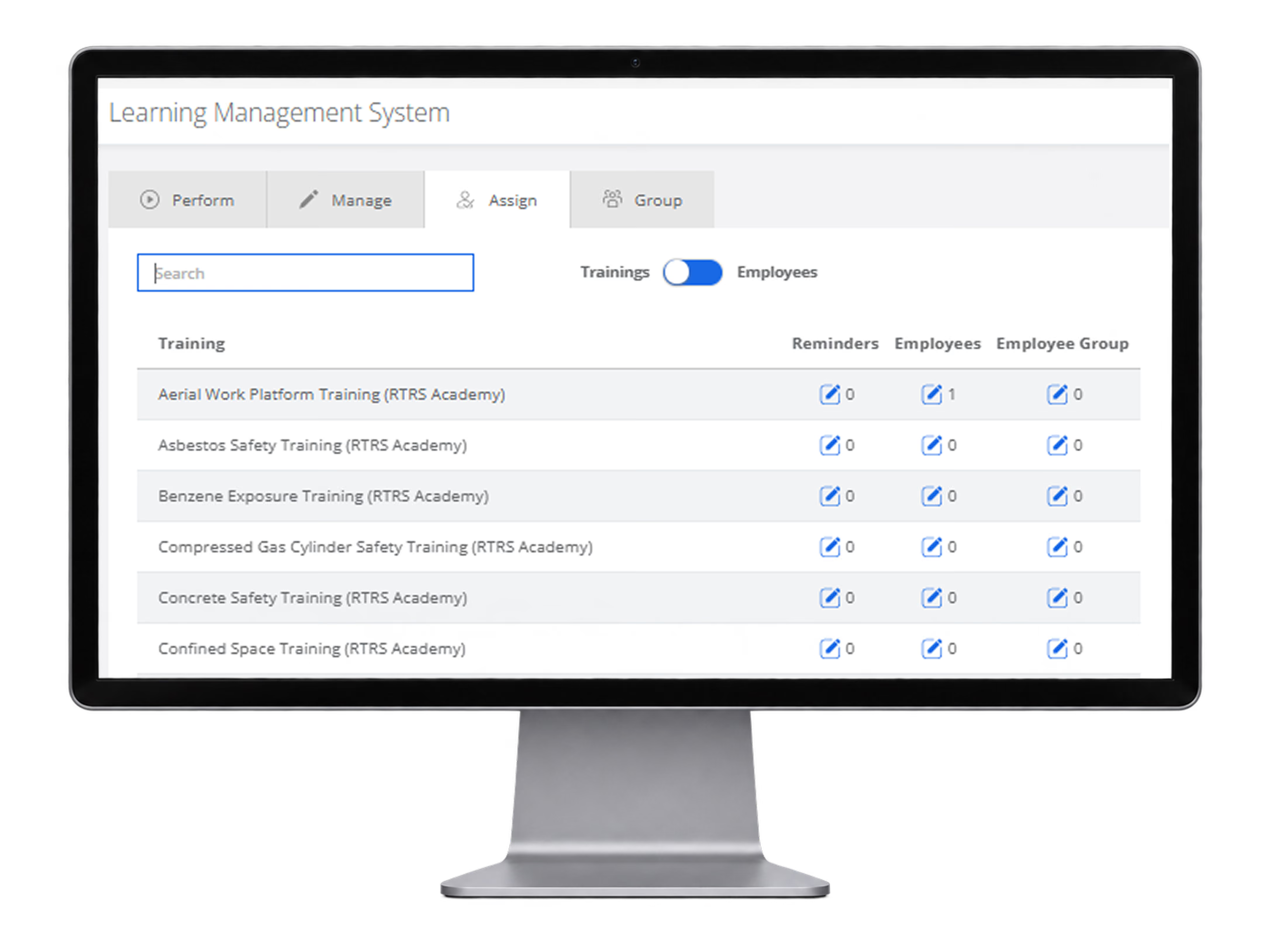
LMS Training Assignments
Assign training topics to employees or groups, manage reminders, and track how many employees are connected to each training package from one central LMS management screen.
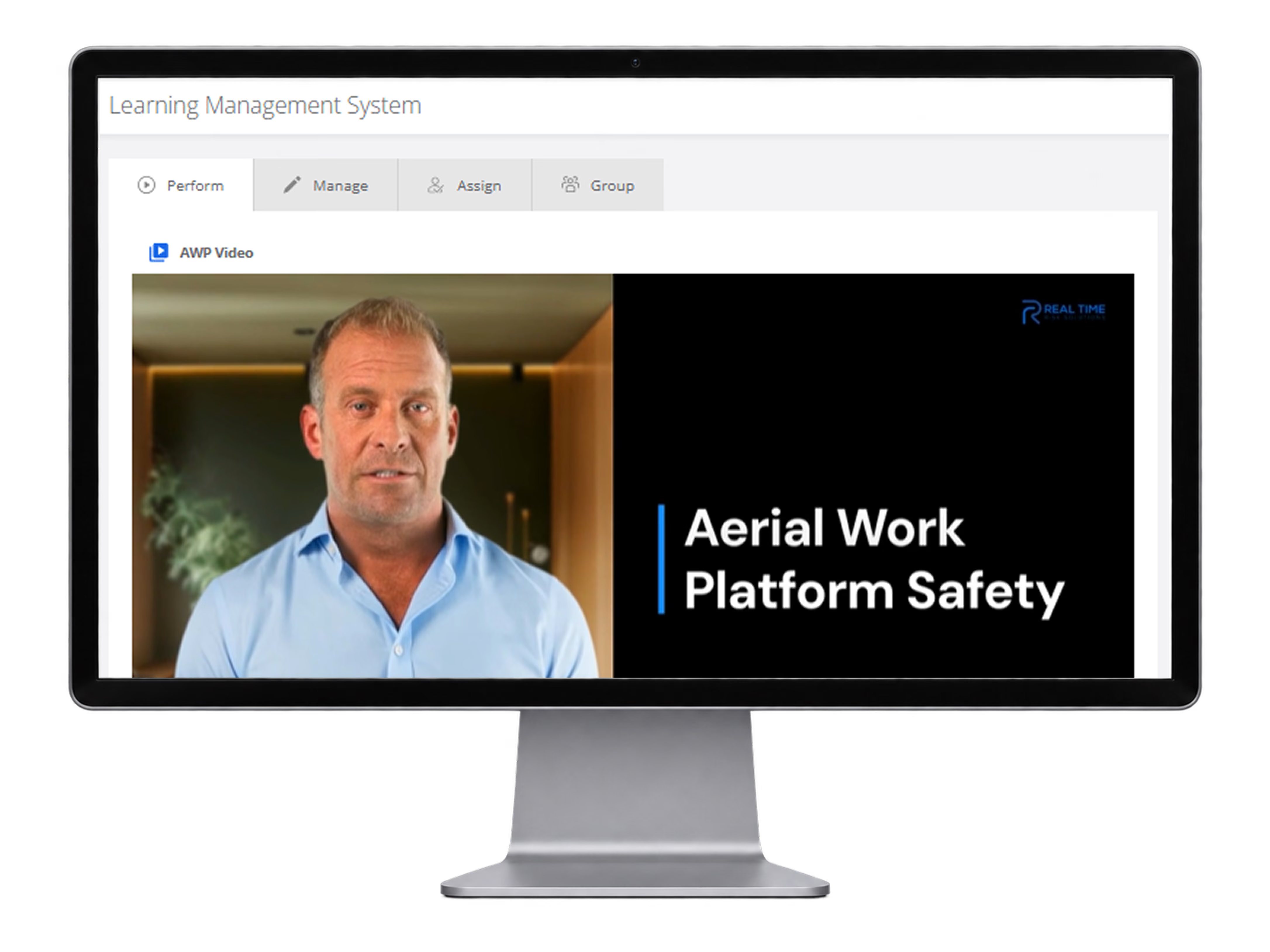
Training Video Playback
Deliver video-based training content directly inside the platform so employees can complete assigned learning packages and view branded safety training from any device.
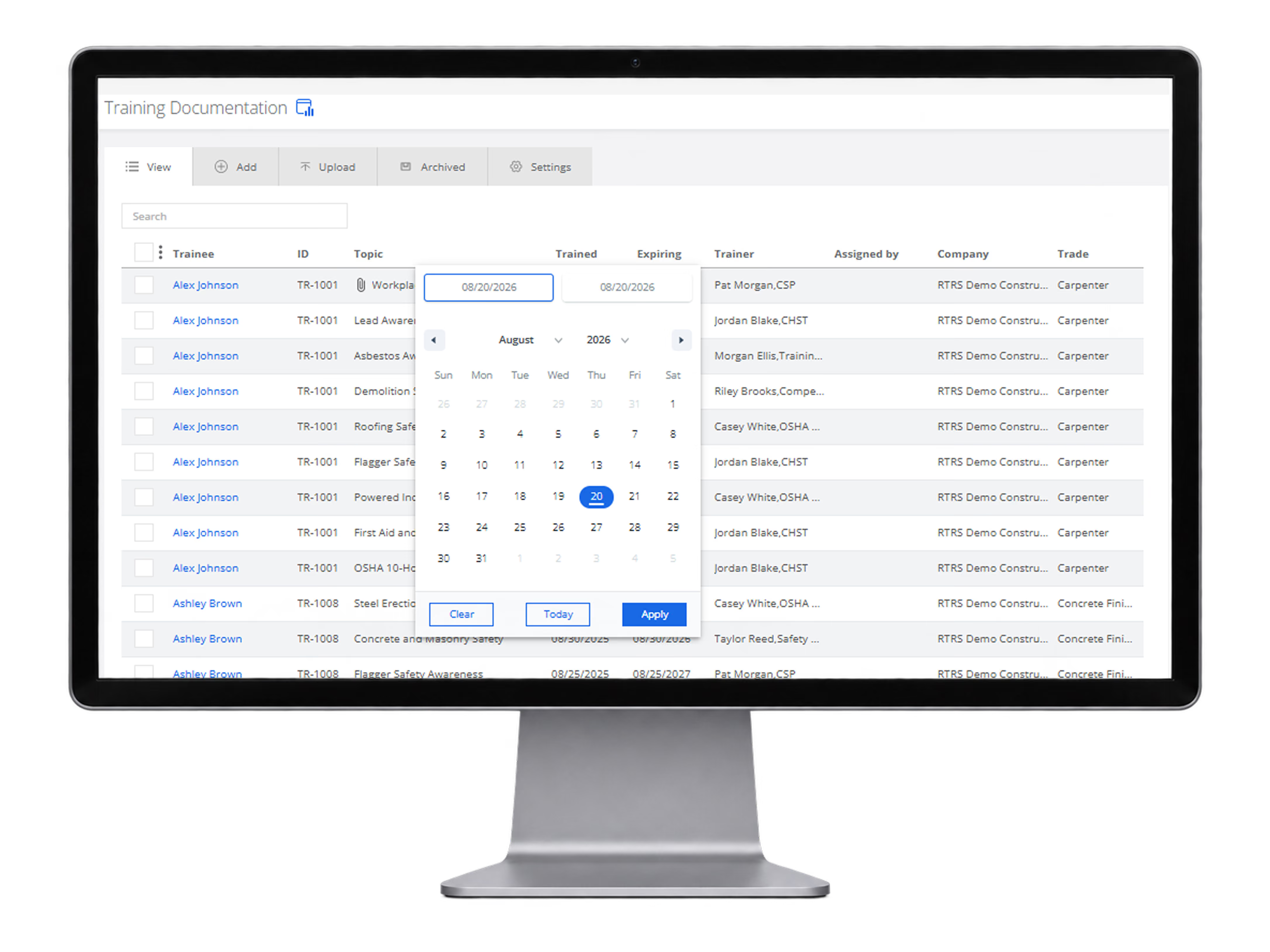
Training Documentation Records
Maintain searchable training documentation with trainee names, topics, trained dates, expiration dates, trainers, assigned-by details, company, and trade for audit-ready recordkeeping.
Claims
Centralize loss data, standardize claim information and understand what is driving losses.
Why it matters
Turn fragmented claims data into clear loss intelligence your team can act on.
Centralize claim information across lines, locations and time periods
Standardize inconsistent loss data so trends are easier to identify
Surface recurring claim drivers and emerging loss patterns faster
Give leadership clearer loss intelligence for stewardship and risk decisions
What it includes
From raw loss runs to normalized data, dashboards, AI analysis, and actionable loss intelligence.
AI and OCR claims ingestion
Standardize and normalize 50+ claim data fields
Support for workers’ compensation, auto, property, liability and 20+ lines of coverage
Detailed claim views with paid, reserve, recovery and incurred values
Historical and as-of loss analysis
Claim dashboards and loss trend reporting
Filter and compare claims by location, project, carrier, coverage and other attributes
Private AI analysis across large claim portfolios
Identify recurring loss drivers, claim patterns and emerging risks
Generate management, stewardship and executive summaries
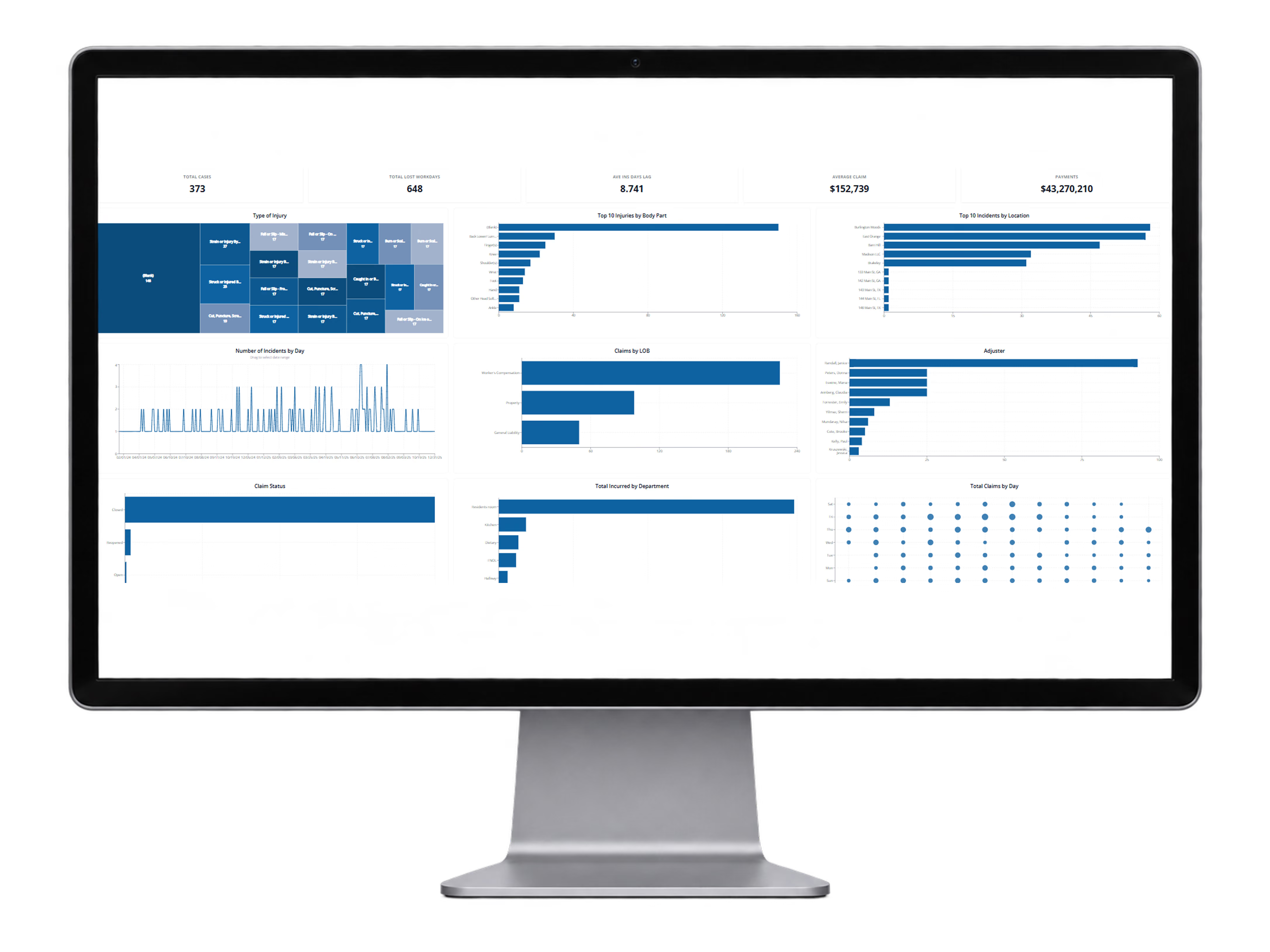
Claims Dashboard Analytics
Review key claim metrics, top loss drivers, injury trends, location trends, lines of business, claim status, and loss activity from one dashboard.
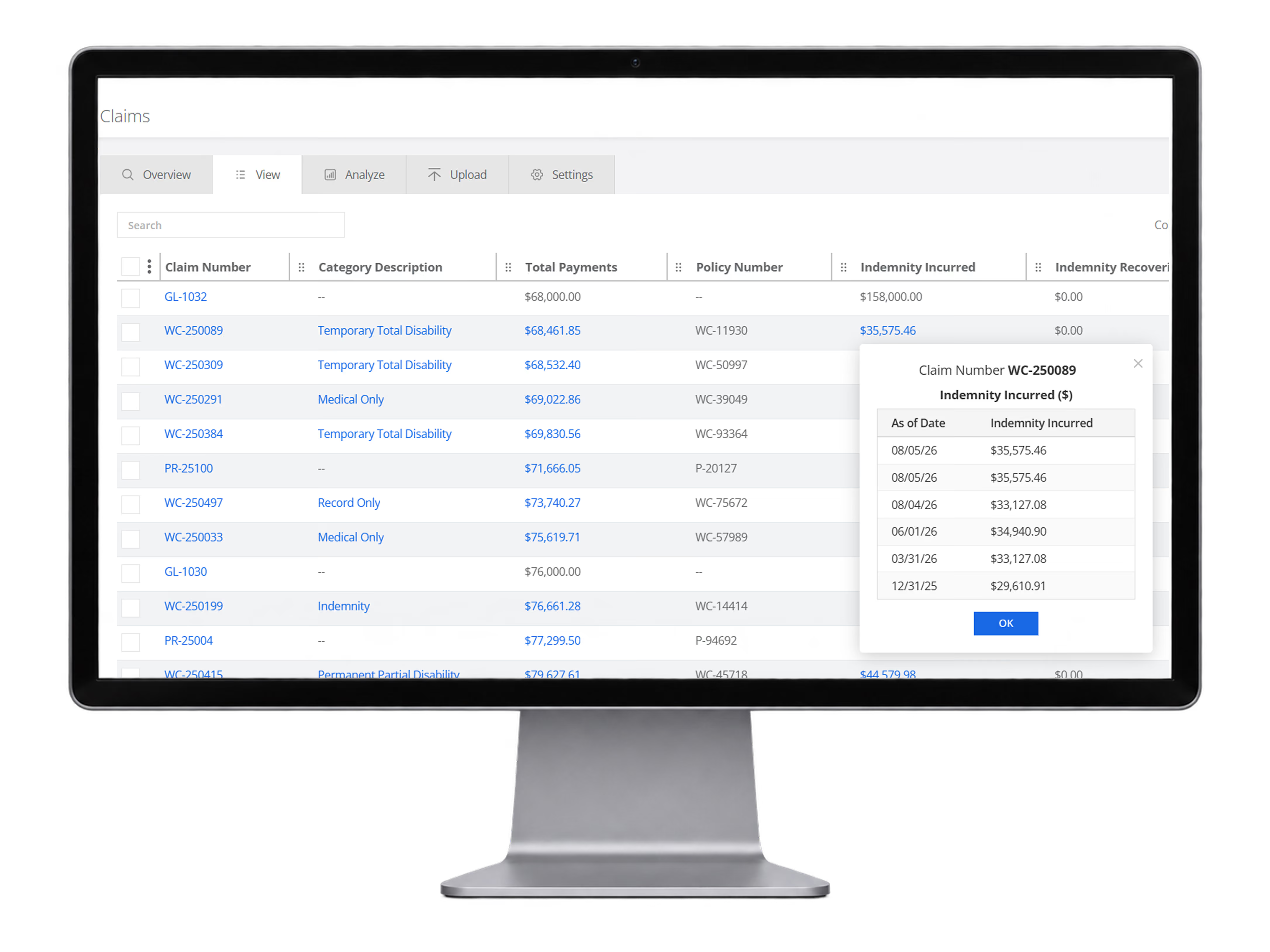
Claim Detail & Financial History
Drill into individual claims with normalized claim fields, financial values, policy information, and historical as-of changes in incurred amounts.
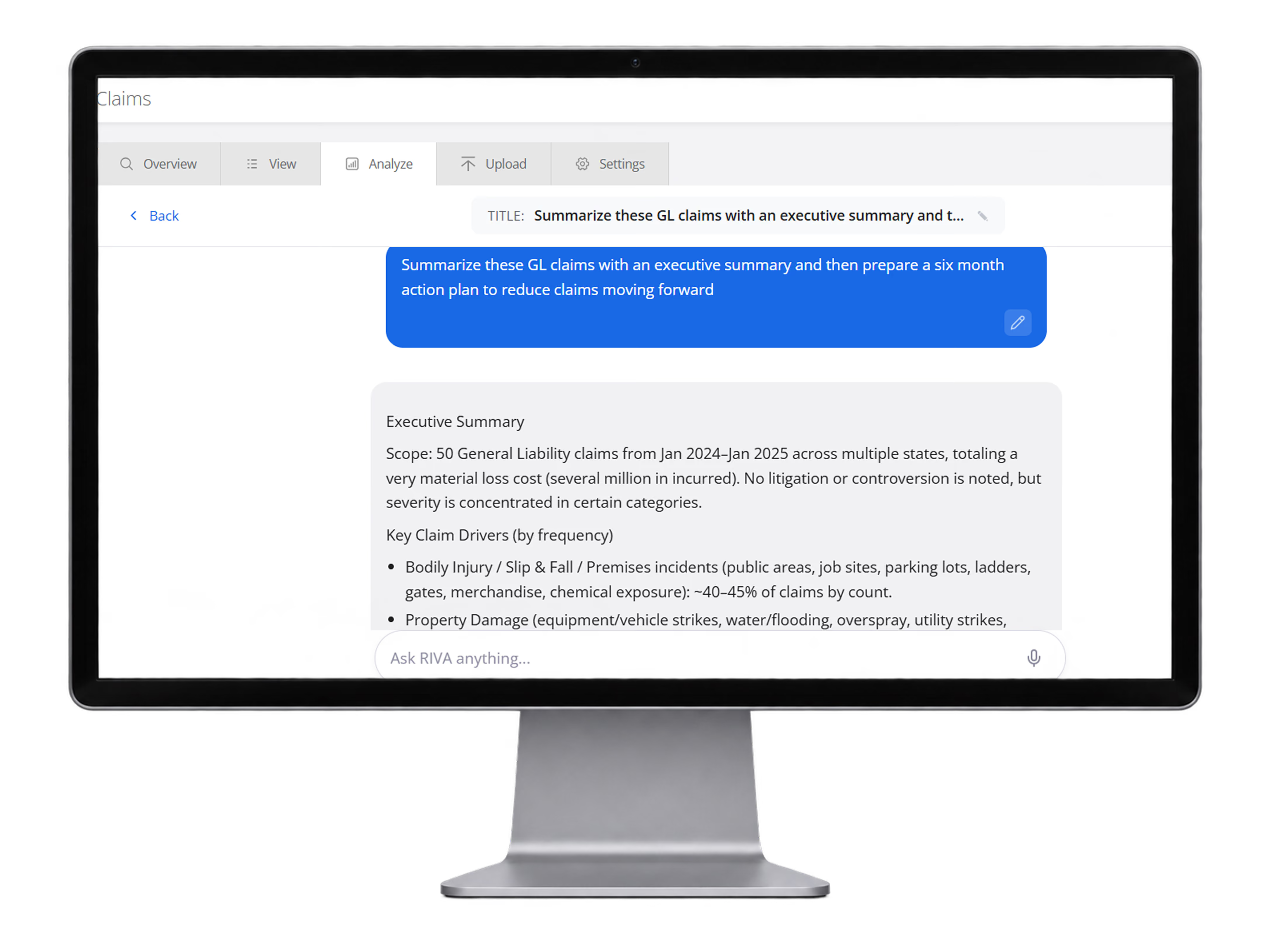
AI Claims Summary & Action Plan
Leverage private AI agents to summarize claim portfolios, identify major loss drivers, create executive summaries, and generate practical action plans to reduce future losses
Timecards
Collect field time in the same mobile environment employees already use for operational workflows.
Why it matters
Put employees in control of their own time while giving supervisors and payroll cleaner, more accurate records.
Give employees a simple way to view, review, and manage their own timesheets directly from their phones or other devices
Reduce duplicate systems by keeping time entry in the same mobile platform employees already use in the field
Give supervisors cleaner visibility into hours, attendance, meals, and project activity
Improve payroll documentation with digital records, approvals, T&M sheets, and certified payroll reporting
What it includes
From mobile time entry and employee self-service to supervisor approvals, certified payroll, signed T&M sheets, and reporting — everything needed to manage field time in one workflow.
Mobile time entry
Supervisor entry
Meal and break tracking to support compliance reporting
Certified Payroll reporting
T&M Sheets signed in the field
Approval workflows
Exports
Geo tracking time input for all employees
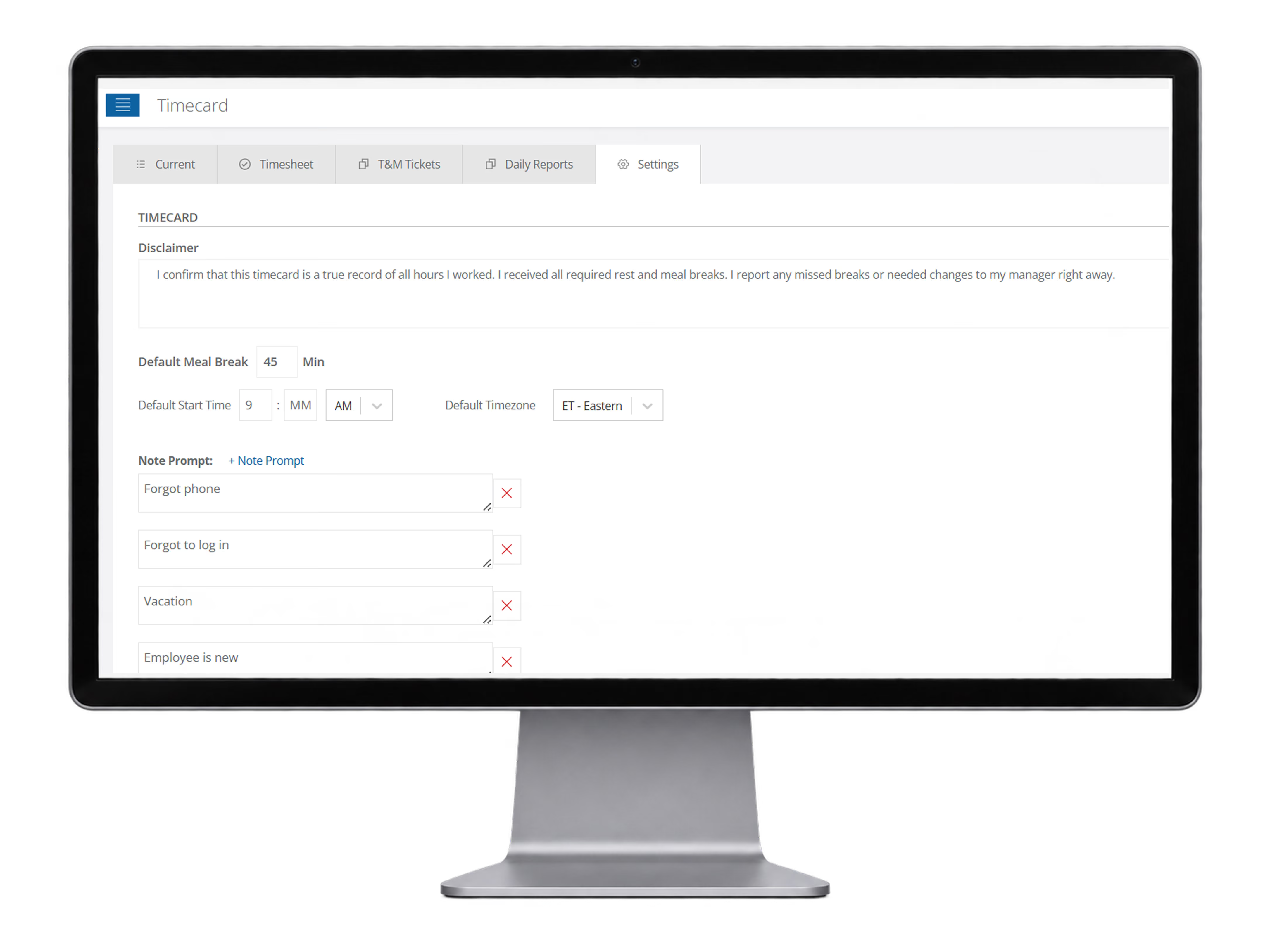
Timecard settings & meal compliance
Configure default meal break rules, time zones, and note prompts so employees can report missed breaks or timecard exceptions in a consistent, compliance-focused workflow.
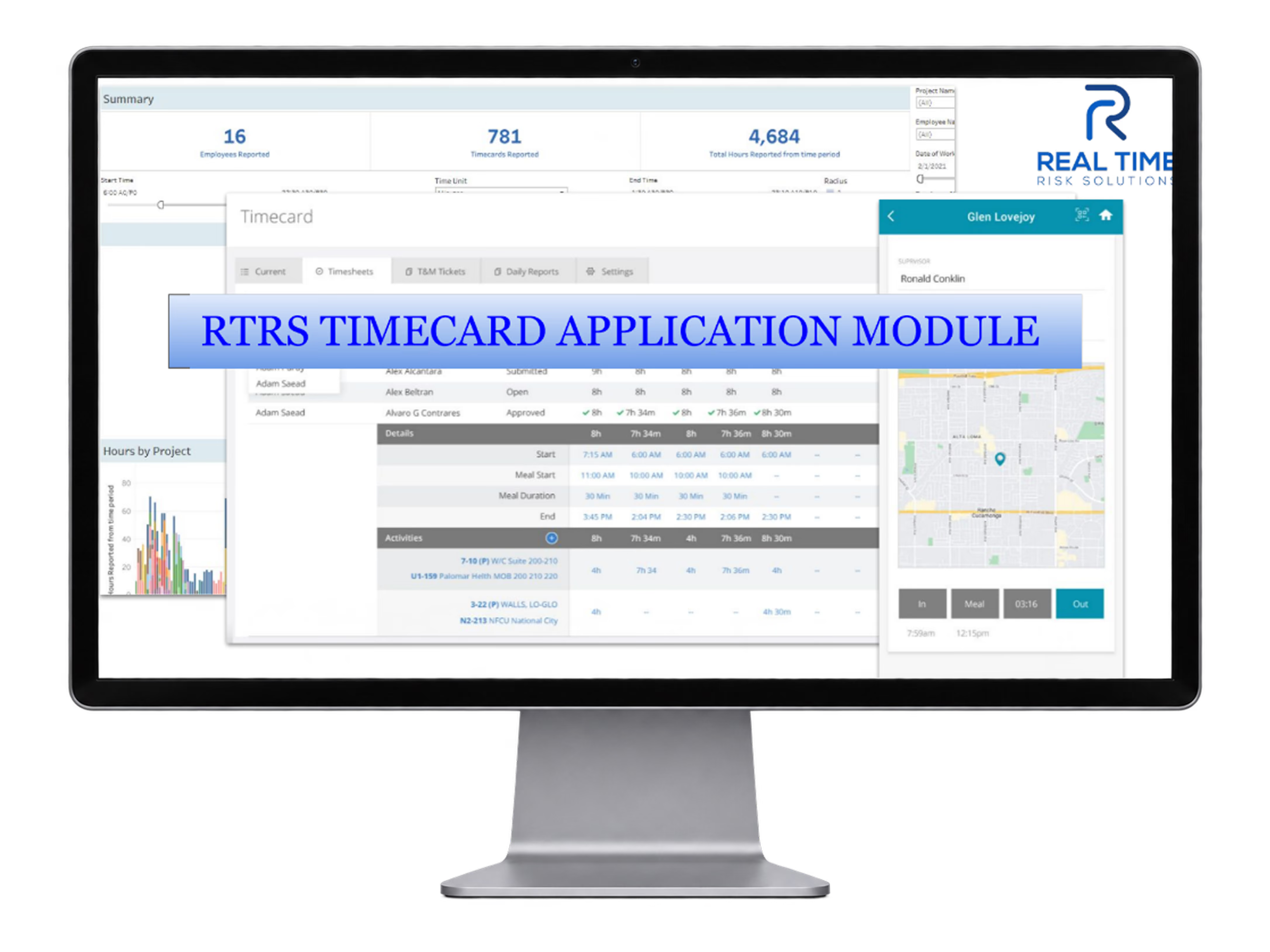
RTRS Timecard Application Module
See the complete RTRS Timecard experience across dashboards, supervisor timesheets, project reporting, and GPS-enabled mobile time capture.
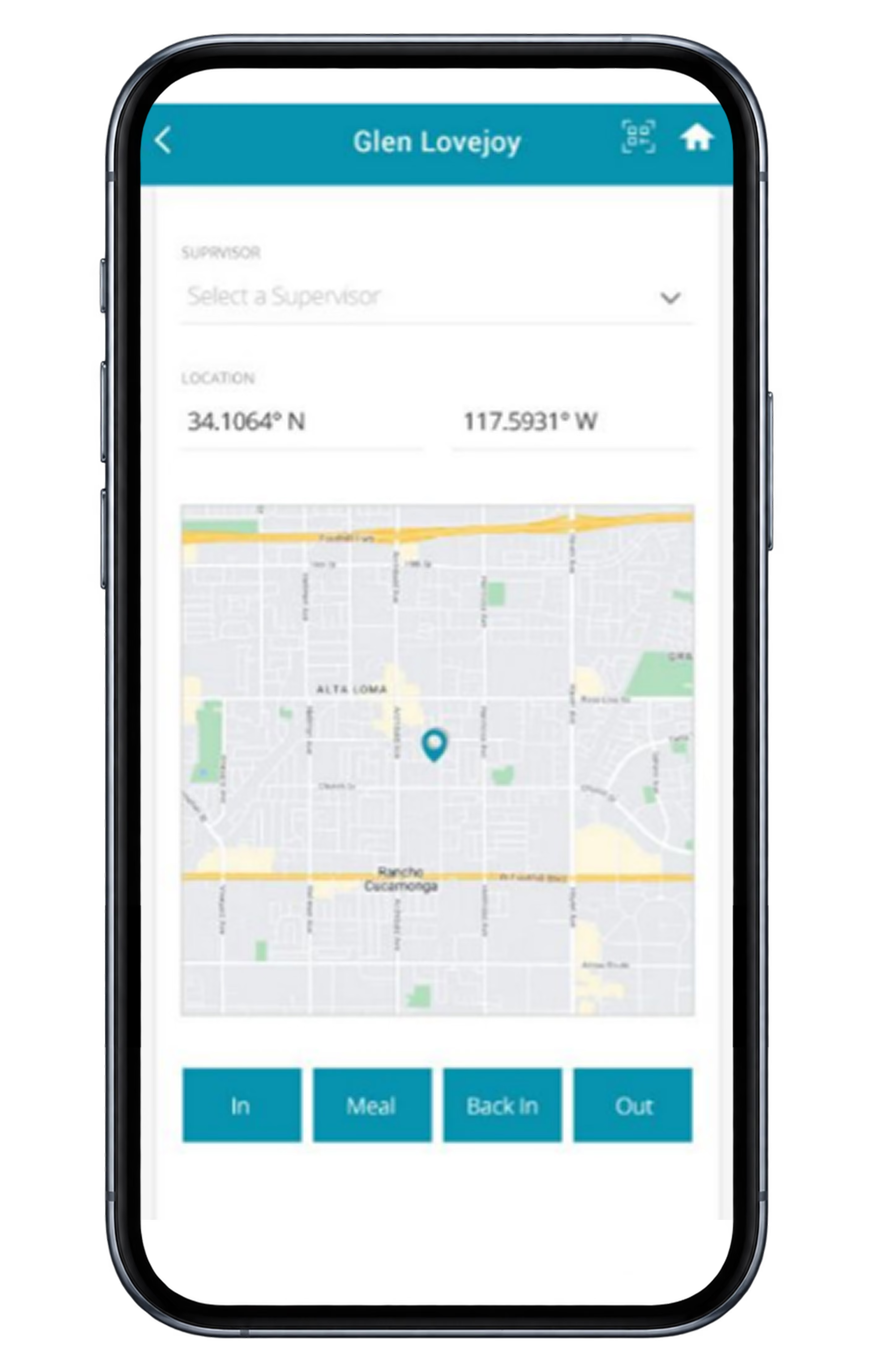
Mobile Time Clock
Let employees clock in, clock out, start meals, and return from breaks from the field with GPS-aware mobile time capture.
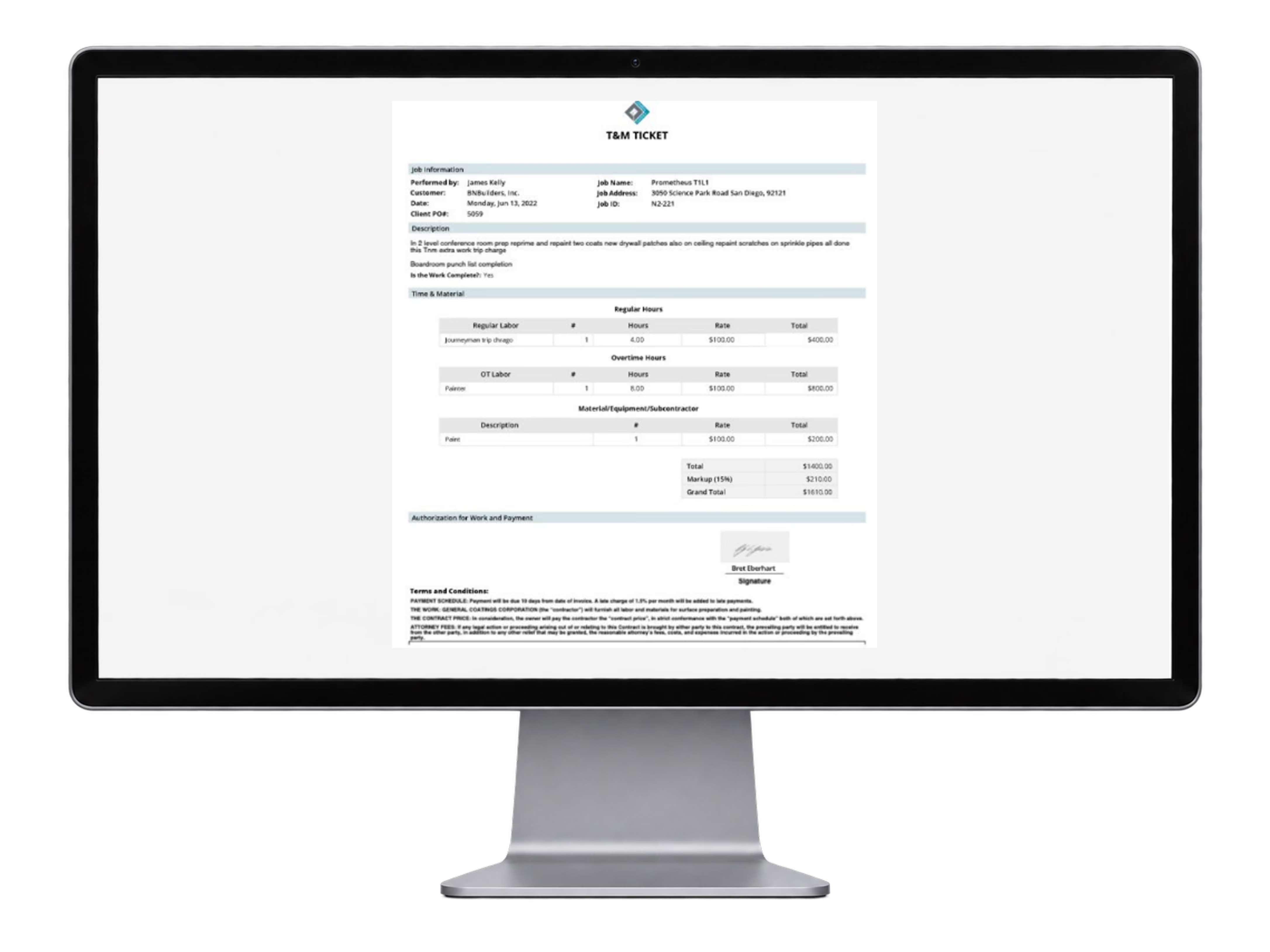
T&M Ticket PDF
Generate signed T&M ticket documentation with labor, overtime, materials, markup, and customer-ready formatting.
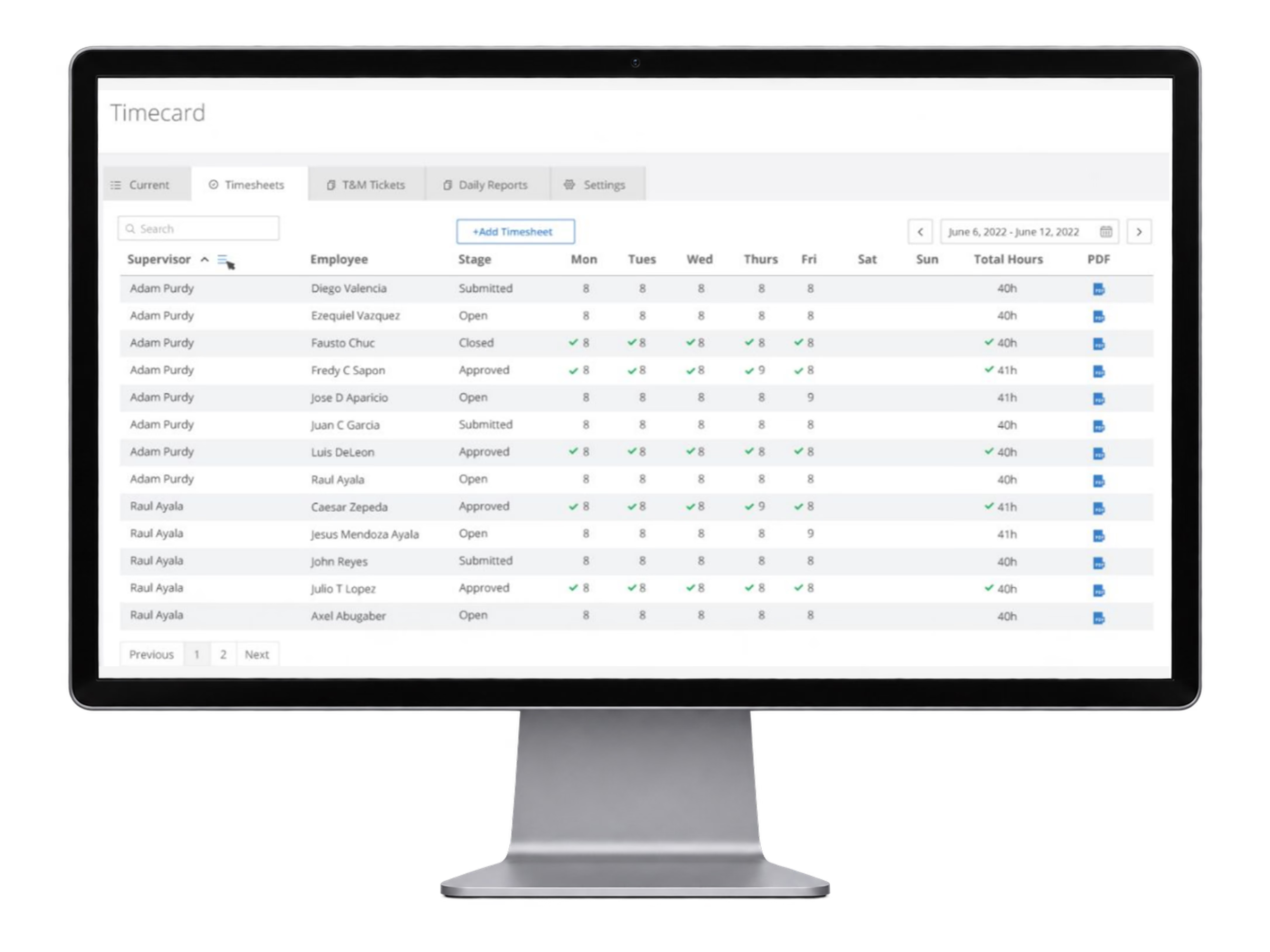
Weekly Timesheets
Review, approve, and export weekly employee timesheets with total hours, status tracking, and PDF access.
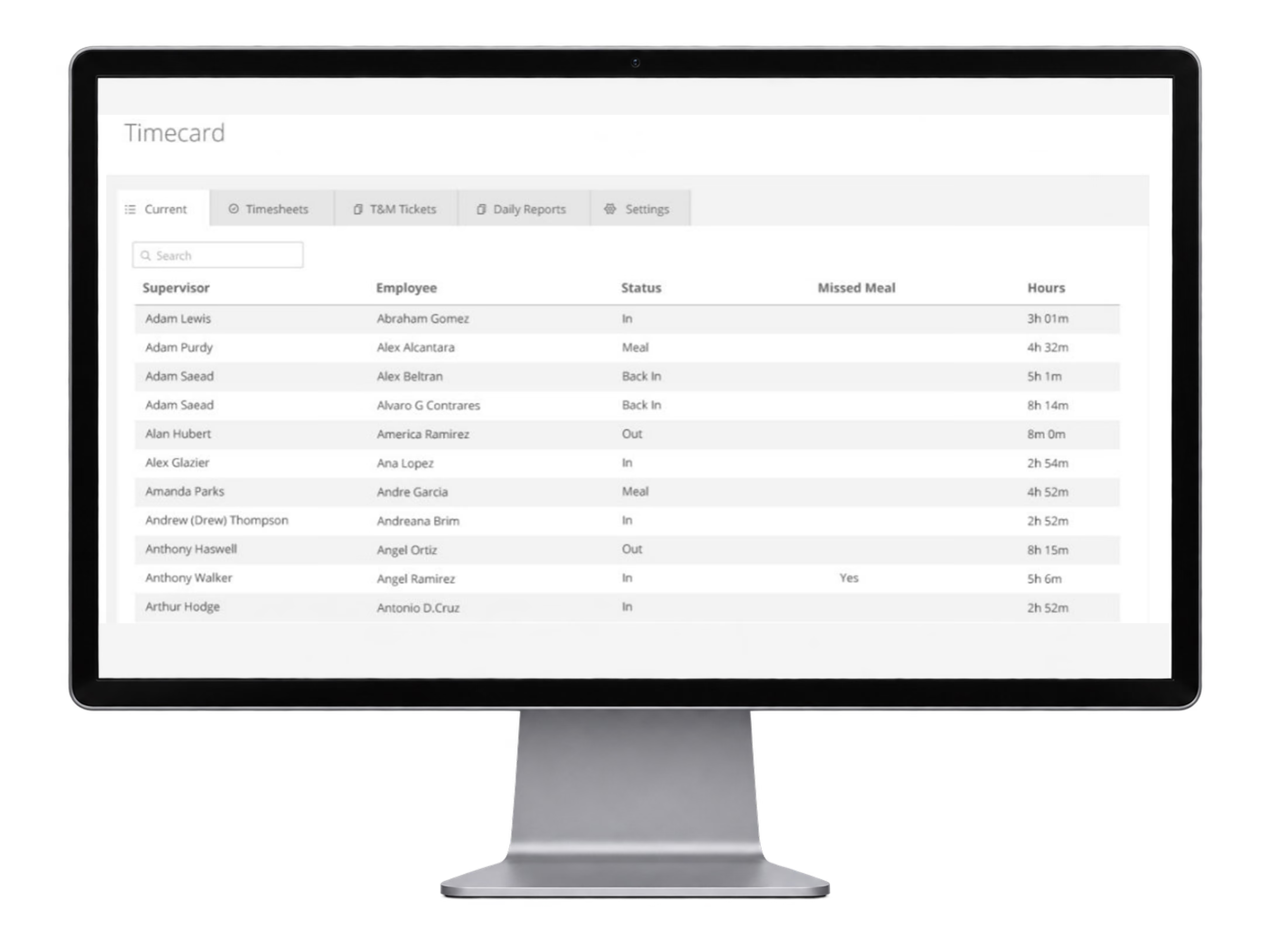
Current Time Status
See who is currently in, out, at meal, or back in, along with missed meal status and hours worked across the team.
AI & Dashboards
Turn operational and claims data into dashboards, summaries, trends and actionable risk intelligence.
Why it matters
Turn disconnected data into faster insight, clearer trends, and better risk decisions.
Surface trends and recurring issues across operational and claims data faster
Summarize large volumes of activity without hours of manual review
Connect field activity to outcomes so leaders can see what is driving risk
Give decision-makers real-time dashboards and clearer intelligence on where to act
What it includes
Private AI agents, hundreds of dashboards, build custom dashboards with cross-data intelligence built around your organization.
Private AI agents scoped to your organization
Custom dashboards and KPI views
AI summaries across large data sets
Natural-language questions across operational and claims data
Cross-module trend and pattern analysis
Automated management and stewardship reporting
Emerging-risk and recurring-issue identification
Executive risk intelligence
Near Miss Timing Dashboard
Visualize near miss timing patterns with interactive heatmaps and filters by employee, company, project, and date to identify when events are happening most often.
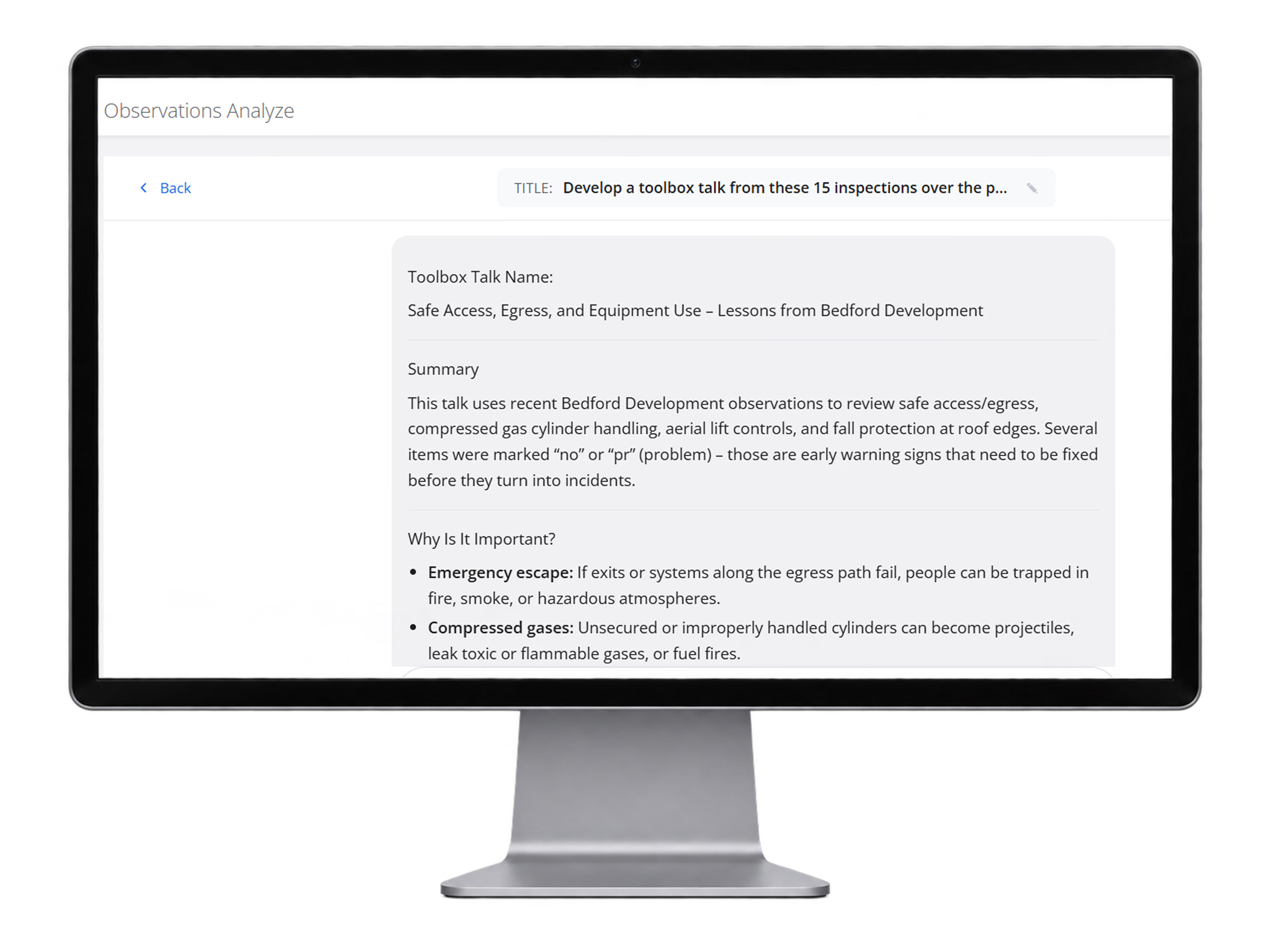
Observations AI Toolbox Talk
Use AI to turn completed inspections and observations into toolbox talks, summaries, and follow-up content without drafting everything manually.
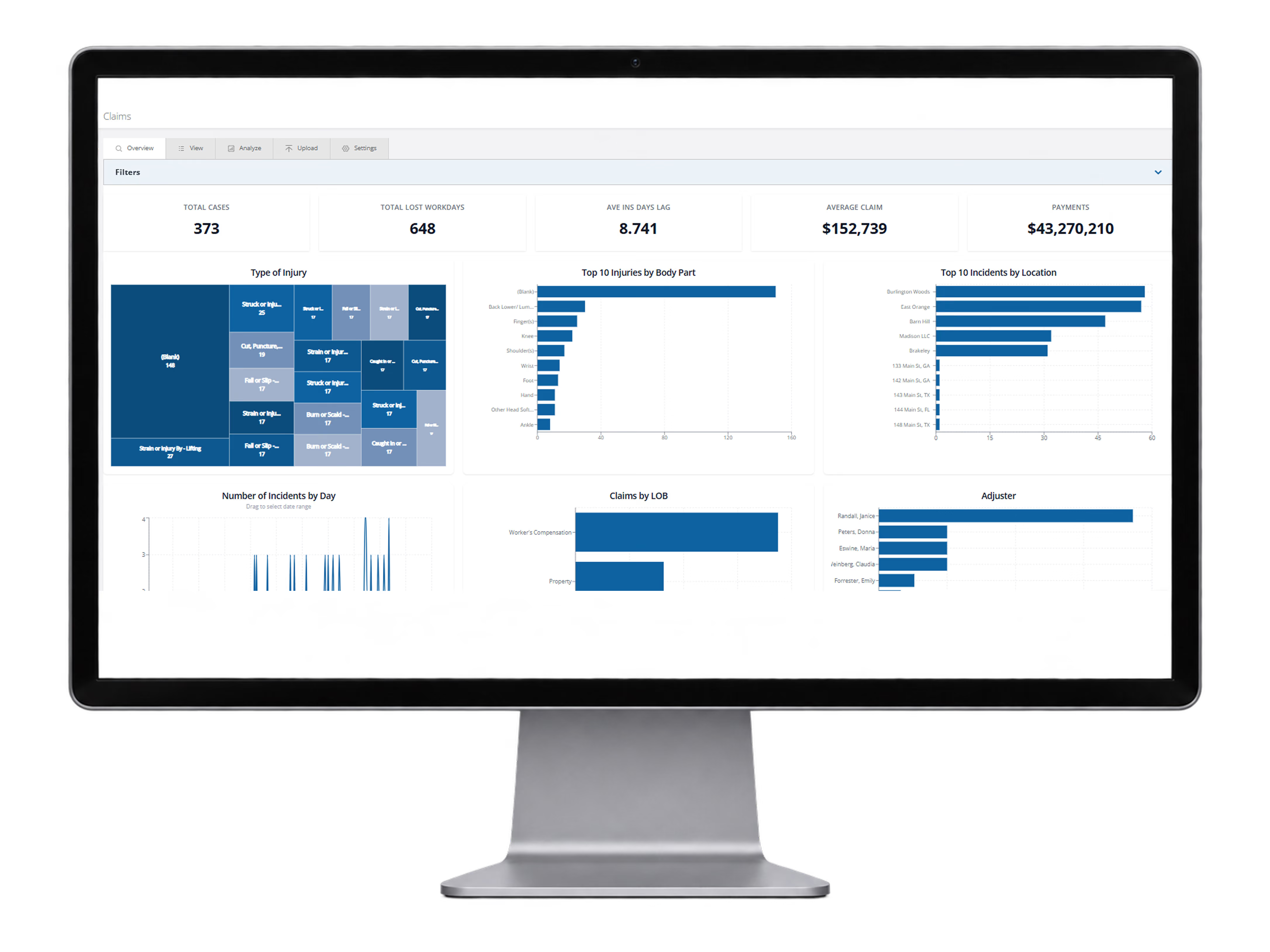
Claims Analytics Dashboard
Analyze claims severity, lag time, payments, injury trends, locations, and line-of-business performance from one dashboard to support better decisions.
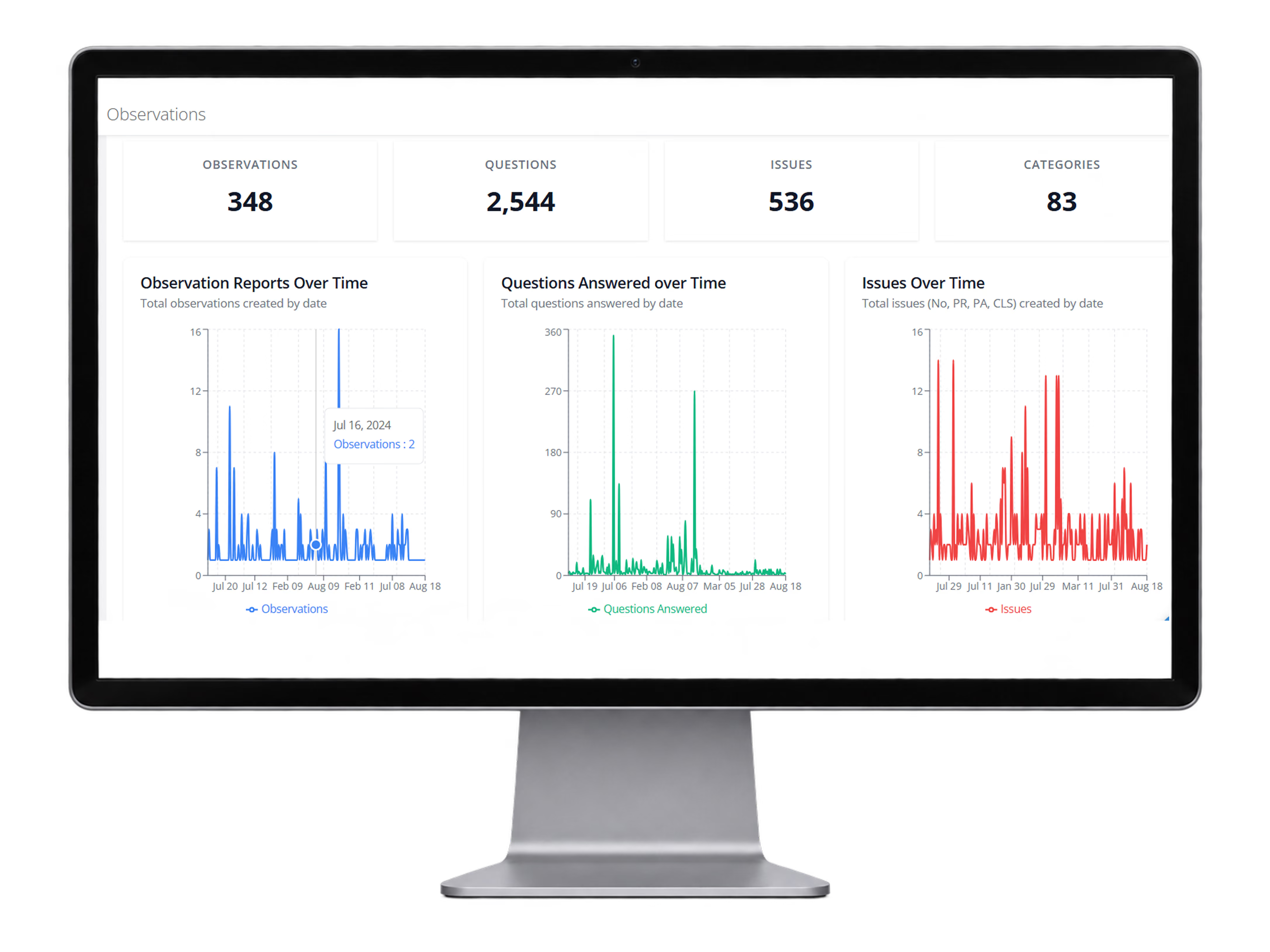
Observations Dashboard Overview
Monitor observation activity, questions answered, issue trends, and category volume over time so teams can quickly spot recurring patterns and prioritize follow-up actions.
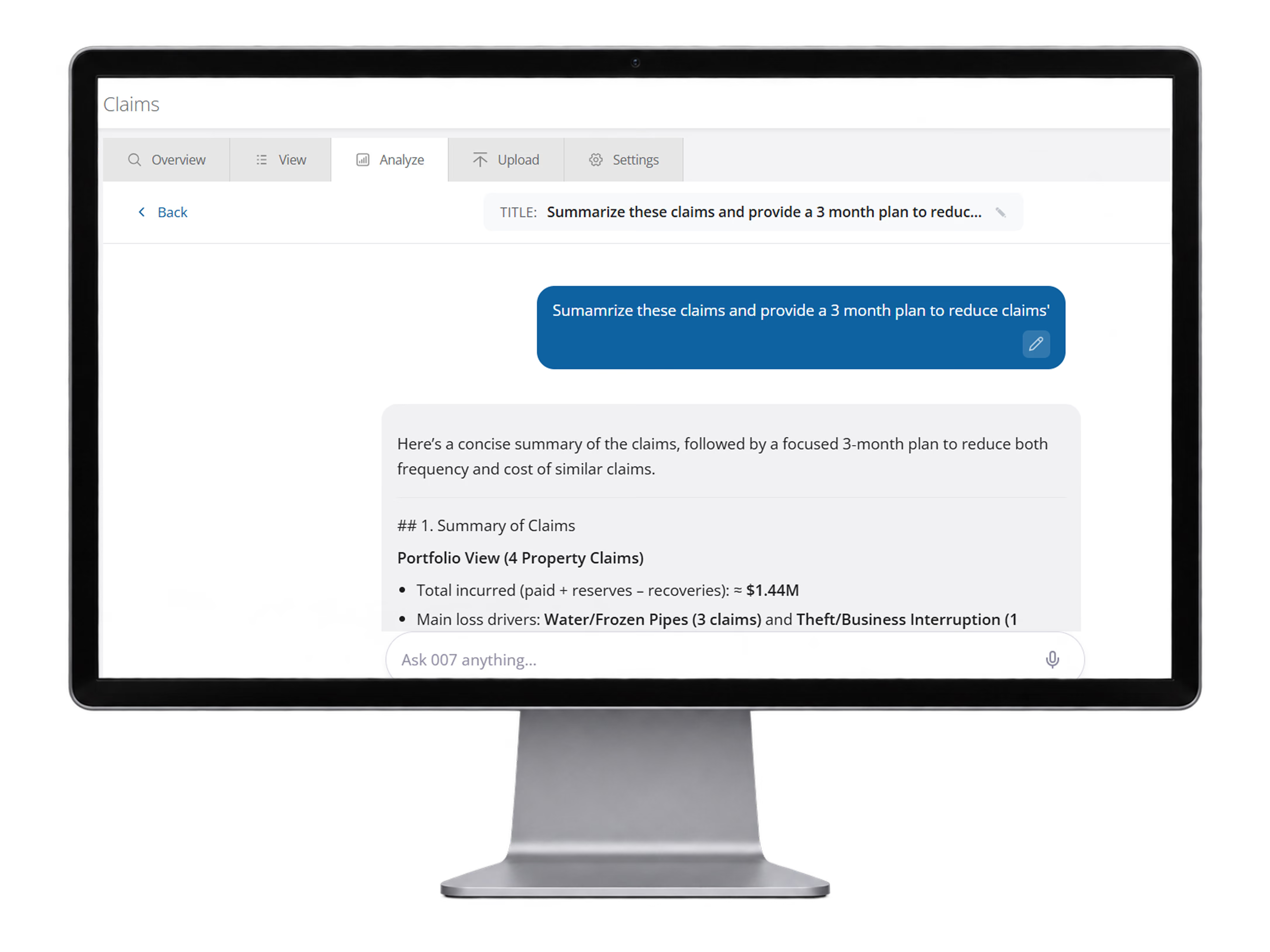
Claims AI Summary
Use AI to summarize claims, identify major loss drivers, and generate a focused action plan to reduce frequency and cost across the portfolio.
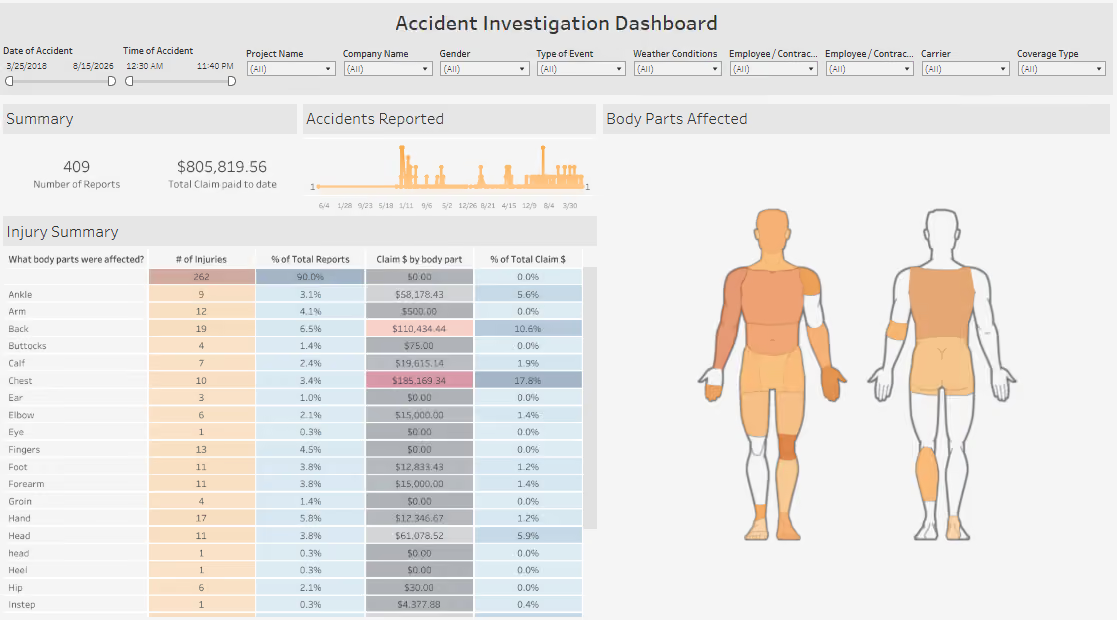
Accident Investigation Dashboard
Analyze accident data with dashboards that highlight report volume, claim dollars, injury trends, and body-part patterns so leaders can identify where to focus next.
Emergency Alerts
Broadcast urgent information quickly when employees or teams need to act immediately.
Why it matters
Reach the right people faster when every minute matters.
Broadcast critical information immediately to the employees, teams, projects or locations that need it
Reduce delays and missed messages during emergencies and rapidly changing conditions
Create a consistent communication process for urgent events across your organization
Maintain a documented record of what was sent, to whom, and when
What it includes
Reach the right employees, teams, projects, or locations immediately through text, push notifications, and email — with targeting, attachments, delivery tracking, and a documented message history.
Urgent broadcasts through text messages, push notifications and/or emails
Targeted employee groups
Mobile notifications
Links and attachments
Delivery tracking
Message history
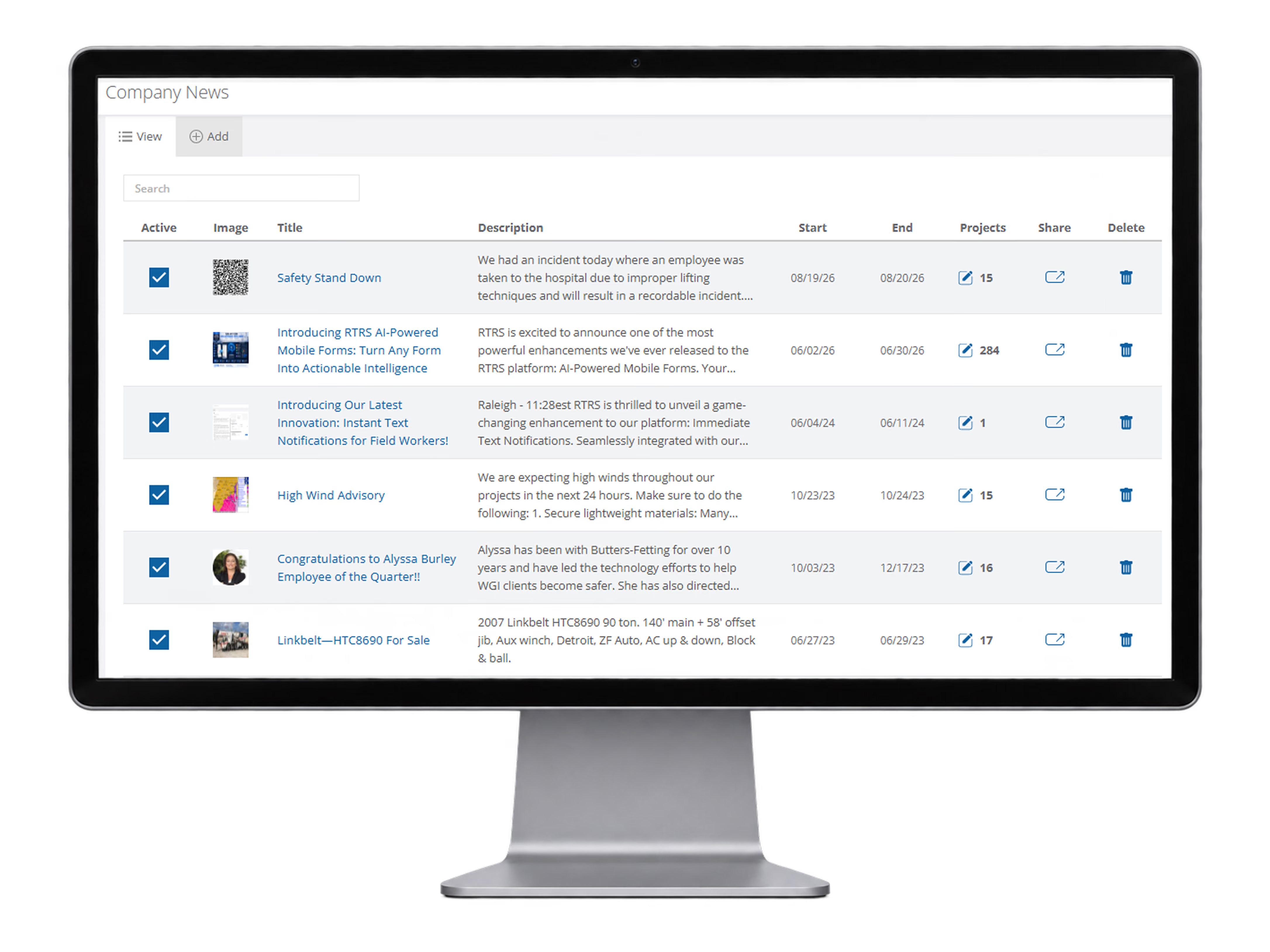
Emergency Alerts List View
View active company news and emergency alerts in one centralized list, including status, dates, project reach, sharing options, and quick administration controls.
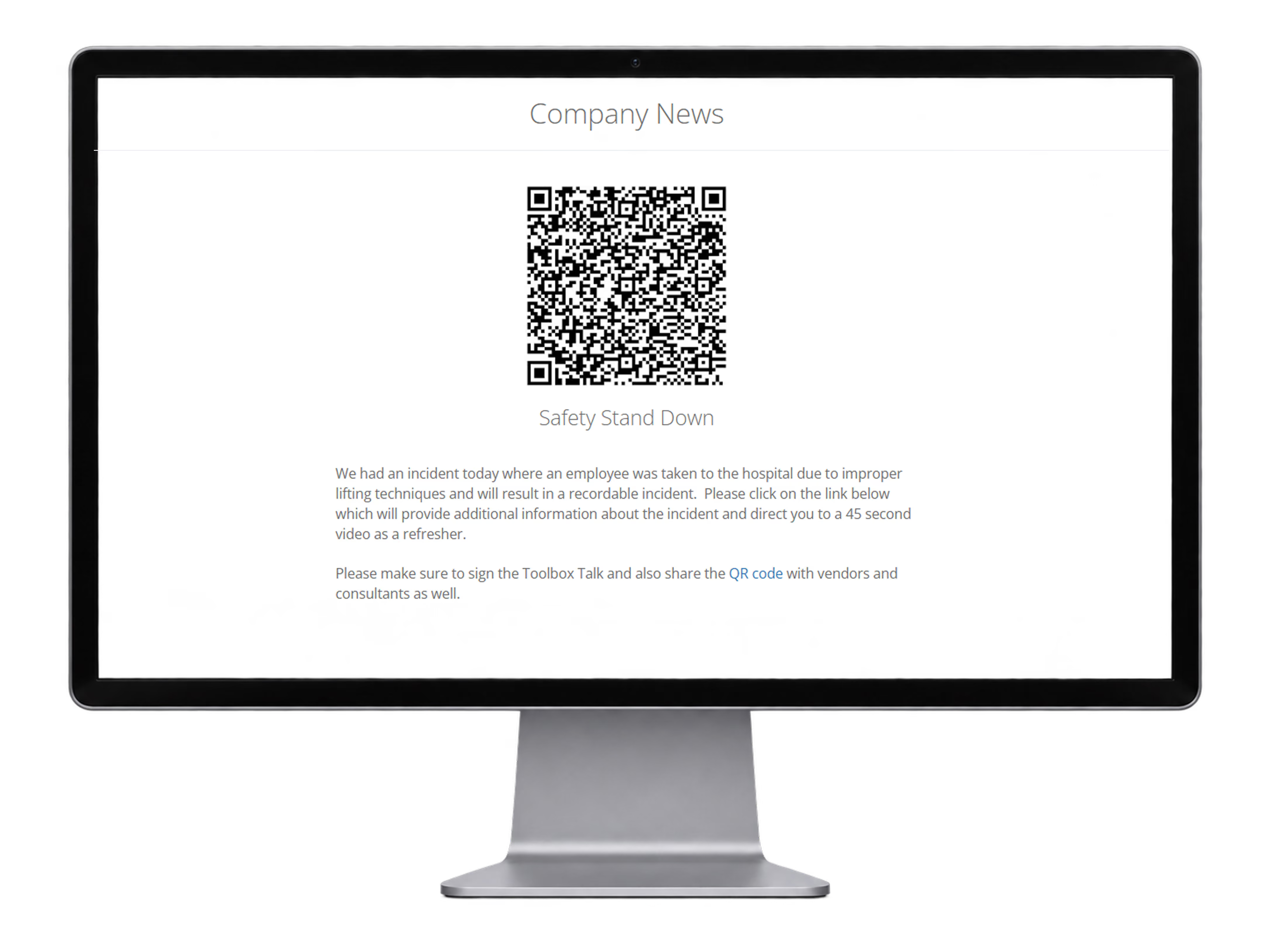
Employee Alert View
Send employees the published alert graphics, title, and detailed instructions (and embed external links and forms) so important communications are easy to access in the field.
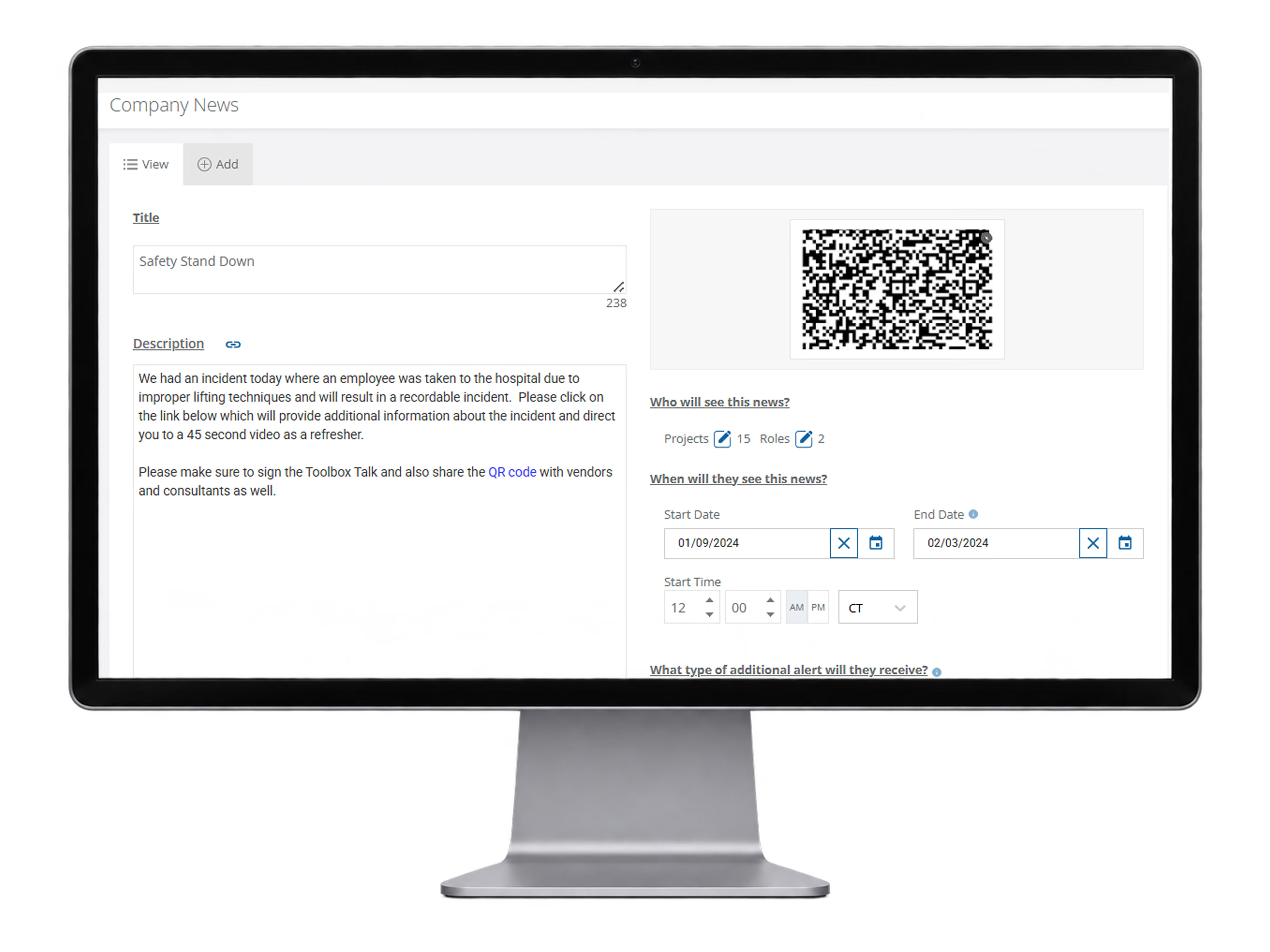
Alert Setup Screen
Configure the alert title, message, timing, audience, and delivery methods such as push, text, and email from one setup screen.
Online File Cabinet
Give field and office teams secure access to the latest documents, files and reference materials from one online library.
Why it matters
Make the latest documents instantly available in the field while maintaining one controlled source of truth.
Make critical documents available to employees wherever work is happening
Create one source of truth so teams are not relying on outdated copies
Share files quickly with employees, contractors and other parties in the field
Reduce paper, email attachments and manual document distribution
What it includes
Unlimited storage, QR access, field sharing, and version control in one organized online file library.
Unlimited file storage
Generate QR codes directly from files
Share files via Bluetooth with other parties in the field
Manage document version control
Includes hundreds of best practice policies
Advanced file search
File previews and direct downloads
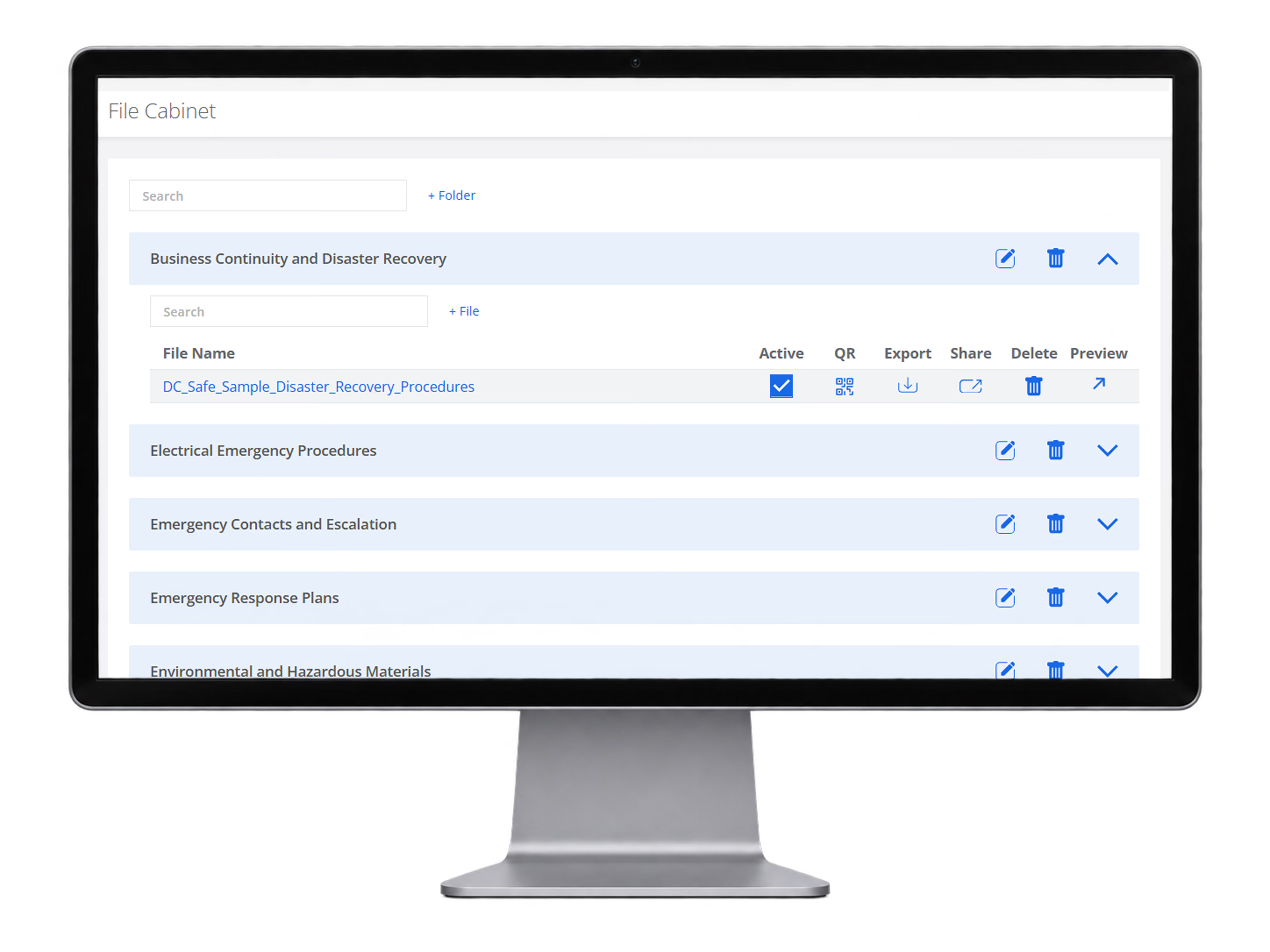
Online File Cabinet
Organize files by folder, search quickly, generate QR codes, export, share, preview, and keep documents active and accessible from one online file cabinet.
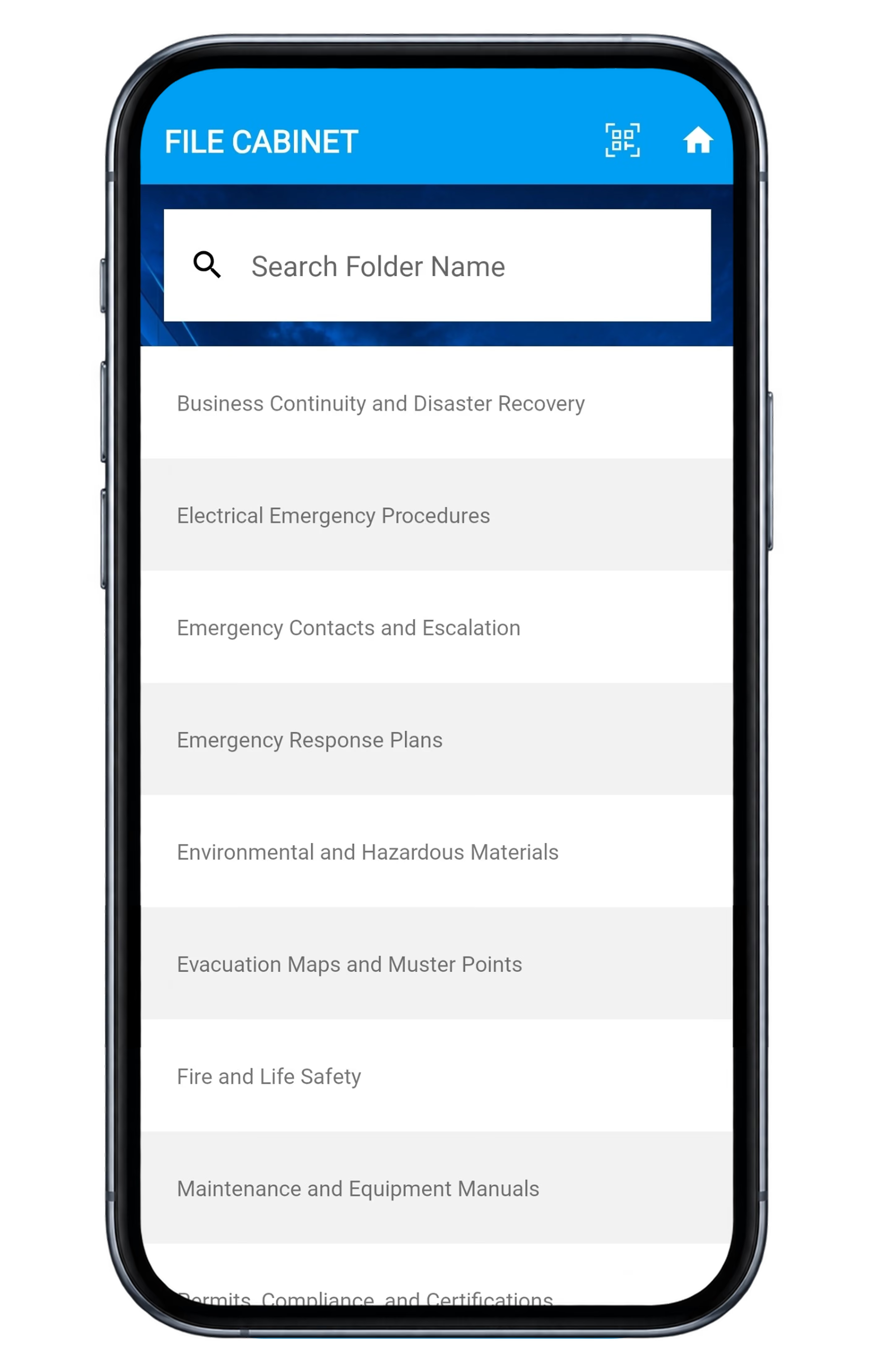
File cabinet mobile view
Give employees a mobile-friendly way to search folders and access emergency procedures, manuals, plans, and other important files directly from their devices.
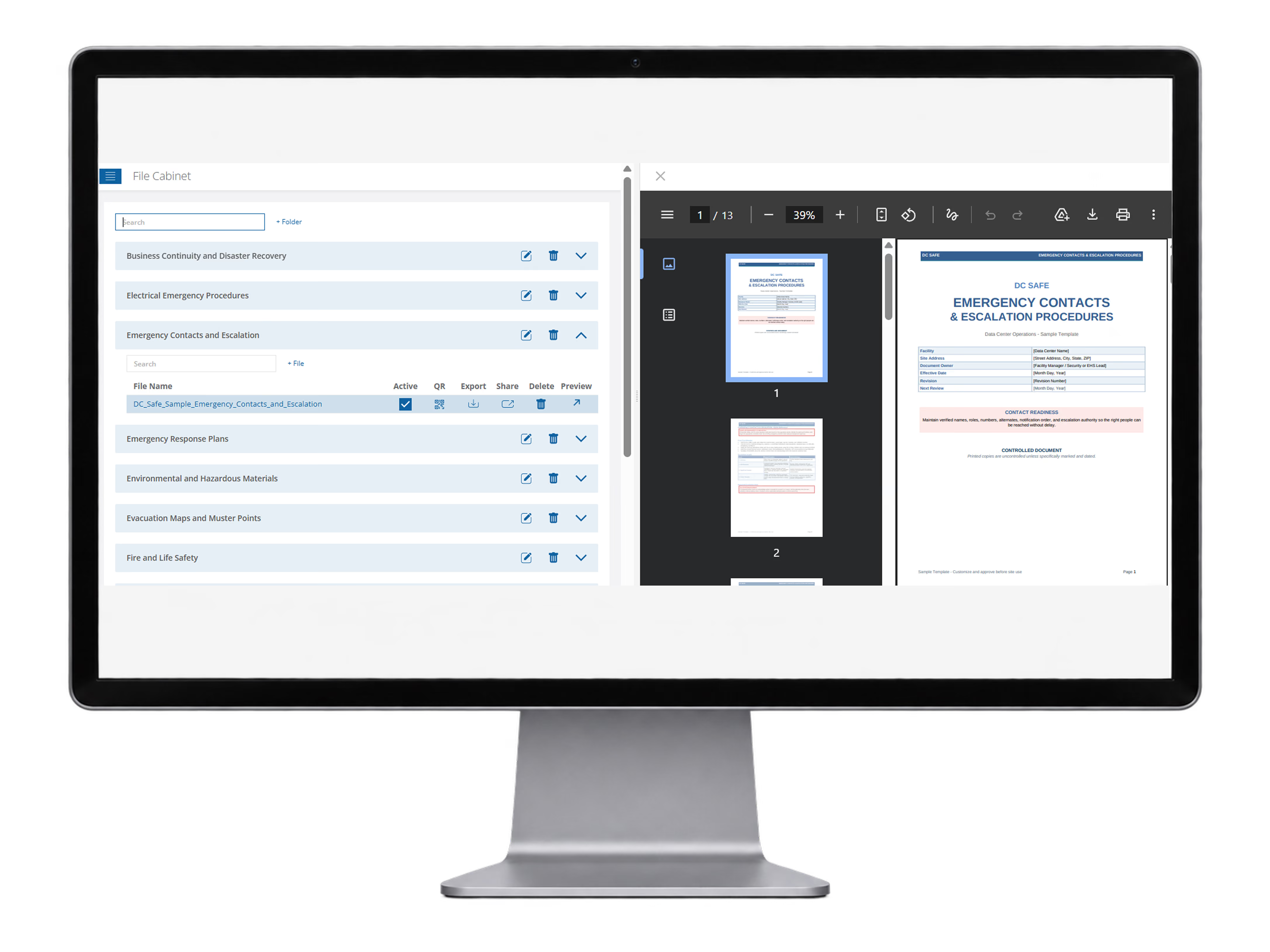
File preview and document access
Assessments
Standardize how your organization evaluates risk, safety, quality and compliance across locations, projects and teams.
Why it matters
Turn consistent evaluations into measurable scores, accountable follow-up, and clearer risk visibility.
Create one consistent assessment process across locations, projects and business units
Turn findings and scores into prioritized corrective actions instead of static reports
Compare performance over time to identify recurring gaps, stronger locations and emerging risks
Maintain a documented, audit-ready record of assessments, findings and follow-up activity
What it includes
Configurable assessments, scoring, evidence, corrective actions, and reporting built into one workflow.
Configurable assessment templates and categories
Weighted scoring and performance ratings
Yes / No / N/A, multiple choice, comments and custom response types
Photos, notes and supporting attachments
Create issues and corrective actions directly from findings
Assign assessments by location, project, team or responsible party
Risk, safety, quality, physical security and compliance assessments
Dashboard reporting and trend analysis
PDF and report exports
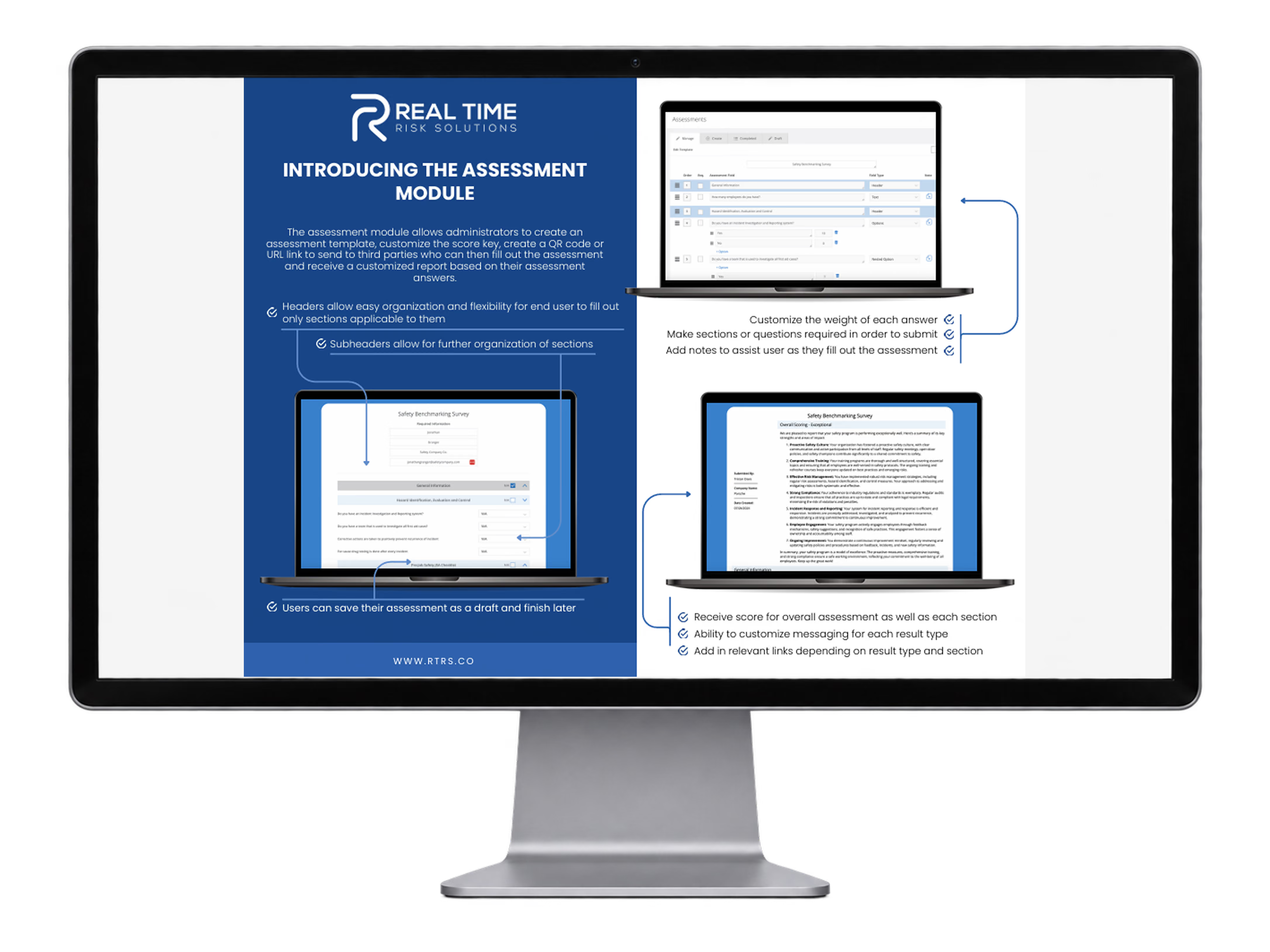
Assessment module overview
Configurable templates, weighted answers, draft saving, result scoring, and customized reporting from completed assessments.